

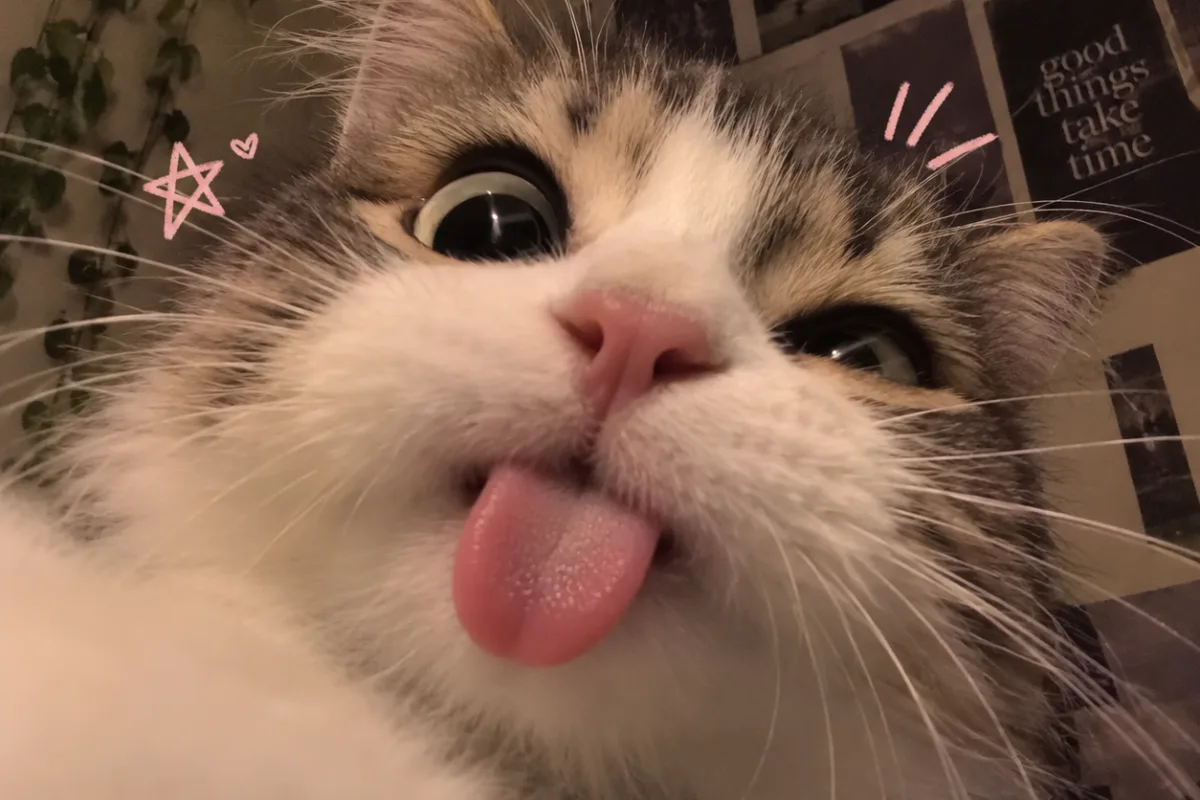
Want a profile picture that makes people smile every time they see it? The 'goofy little menace' cat PFP trend is all about capturing your cat’s playful, mischievous side—and it’s easier than you think. Here’s how to get that perfect shot, plus ideas to make your avatar stand out.
Advertisements1
- Candid action shots beat posed portraits for a goofy menace vibe.
- Burst mode is essential to catch the perfect split-second expression.
- Natural light and a simple background make your cat pop.
- Crop tight and edit lightly—clarity is key at small sizes.
- Test your PFP at 100×100 pixels to ensure it reads well.
- Always prioritize your cat’s comfort—no forced poses or props.
Why the 'Goofy Little Menace' Vibe Works
This style of cat PFP is popular because it feels real and relatable. Instead of a posed, perfect portrait, you get a glimpse of your cat’s personality—mid-zoomies, mid-bite, or caught in a silly expression. It’s the opposite of a professional headshot, and that’s what makes it charming. People connect with authenticity, and a goofy cat photo instantly humanizes your profile, whether it’s for social media, gaming, or a forum avatar.
Choosing the Right Photo: Action Over Pose
The best goofy menace photos are candid. Look for moments when your cat is in motion: leaping for a toy, batting at something off-screen, or making a weird face mid-yawn. Burst mode on your phone is your best friend—hold the shutter and pick the frame with the funniest expression. Avoid staged shots; the magic is in the chaos.
Lighting and Background: Keep It Simple
Natural light works best. Place your cat near a window or take the photo outside during golden hour. Avoid busy backgrounds that distract from the cat’s face. A plain wall, a carpet, or a simple blanket works perfectly. If your cat is a blur, increase your shutter speed (on a phone, tap the screen and drag the exposure down slightly) to freeze the motion.
Editing for Impact: Crop and Enhance
Crop tight on the face or the funniest part—maybe a paw mid-bat. Use a simple editing app like Snapseed or VSCO to boost contrast and saturation slightly, so the colors pop. Add a subtle vignette to focus attention. Don’t over-filter; you want it to look natural, not cartoonish (unless that’s your style—then go wild).
Accessorize for Extra Charm (Optional)
If your cat tolerates it, a tiny prop can elevate the menace factor. Think a piece of toilet paper stuck to a paw, a stolen sock, or a leaf on the head. Always prioritize your cat’s comfort—never force anything. The goal is to capture their natural goofiness, not to stress them out.
Making It Your Own: Add a Personal Touch
Your PFP can be more than just a photo. Add a fun border, a sticker, or a text overlay like 'menace' in a playful font. But keep it readable at small sizes—remember, most PFPs are tiny circles. Test how it looks at 100×100 pixels before you commit.
When to Use Which Photo
Different platforms call for different crops. For Instagram, a square crop works. For Twitter/X, a circular crop might cut off ears—so keep the subject centered. For Discord, the image is often small; a close-up face is best. Think about where you’ll use it and crop accordingly.
How to Do It, Step by Step
- 1Get your cat in a playful mood
Use a wand toy or a piece of string to get your cat moving. Wait for the pounce, the leap, or the derpy expression that follows. - 2Turn on burst mode
On your phone, hold the shutter button to take a rapid series of photos. You’ll catch the split-second funny faces that a single shot misses. - 3Choose the goofiest frame
Scroll through your burst and select the one where your cat looks most ridiculous—eyes wide, mouth open, or mid-swipe. Trust your gut. - 4Crop for impact
Zoom in on the face or the funniest action. Remove distracting background elements. Aim for a square or circle-friendly crop. - 5Enhance with a simple edit
Boost contrast and color slightly. Use a vignette if you want. Avoid heavy filters that make it look fake. - 6Test at avatar size
Shrink the image to 100×100 pixels and see if it’s still recognizable. If not, crop tighter on the face. - 7Upload and enjoy
Set it as your profile picture. Watch the compliments roll in!
The best cat PFP is the one that makes you laugh every time you see it—authenticity beats perfection.
Frequently Asked Questions
How do I get my cat to make a funny face?
Wait for natural moments like yawning, sneezing, or mid-play. Use a toy to trigger excitement and snap during the action.
What if my cat is blurry in photos?
Increase your shutter speed or use burst mode. On a phone, tap to focus and lower the exposure slightly to freeze motion.
Can I use a filter on my cat PFP?
Yes, but keep it subtle. Over-filtering can make the photo look unnatural, which defeats the goofy charm.
What’s the best background for a cat PFP?
A plain wall, a simple rug, or a softly blurred background works best. Avoid clutter that distracts from your cat’s face.
How do I crop a photo for a circular profile picture?
Center your cat’s face in the frame and use a circular crop tool. Ensure the eyes are in the upper third so they’re not cut off.

Elena focuses on healthy cooking and meal prep for people with limited time and budget. She shares flexible recipes and shortcuts that don’t sacrifice flavor.


