

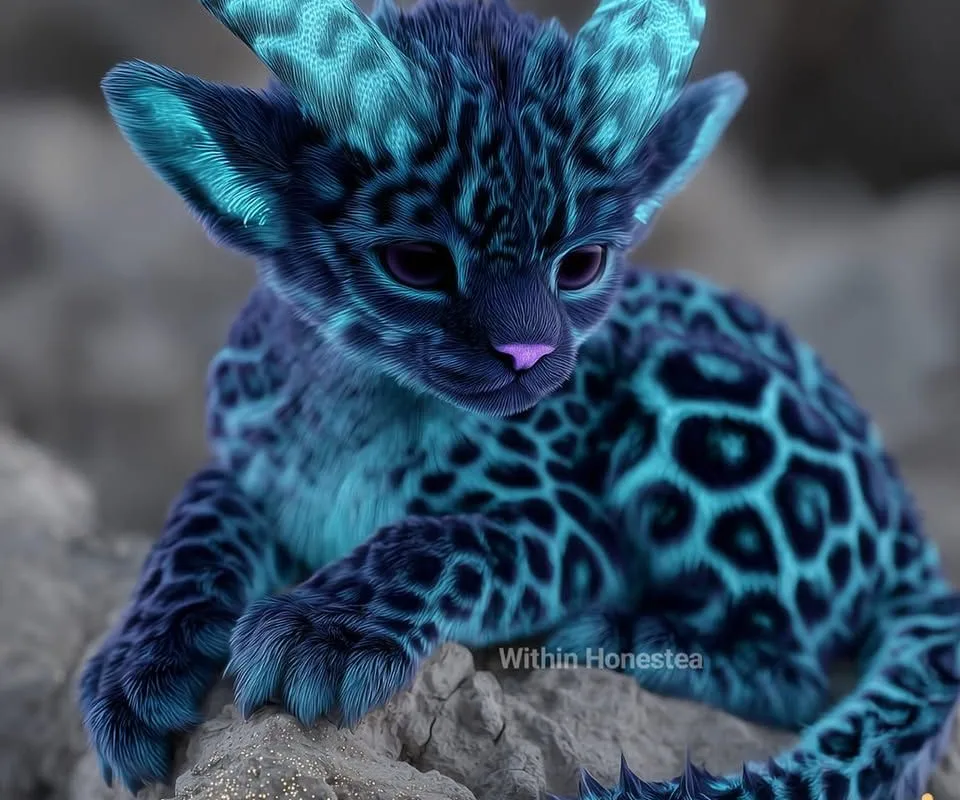
Ashleigh Adkins' synthography post of four gorgeous cats hit 248K views and 10K reactions. That's not luck. Here's how to replicate that magic with your own AI-generated cat art, using specific prompts and techniques that actually work.
Advertisements1
- Combine cats with fantasy elements for viral potential—it taps into two huge audiences.
- Your prompt should be 60-80 words, specifying breed, setting, lighting, and style.
- Midjourney is ideal for fantasy cat art; use –ar 4:5 for portrait orientation.
- Post-process to fix AI errors and boost colors—this can double engagement.
- Use 20-30 hashtags mixing broad and niche tags, and ask a question in your caption.
- Pinterest drives long-term traffic; create vertical pins with keyword-rich descriptions.
Why Synthography Cat Art Goes Viral
Synthography—AI-generated imagery—is exploding on Instagram and Pinterest. Cat content already dominates social media, but when you blend it with fantasy elements, you get a niche that's both visually striking and emotionally engaging. Ashleigh's post succeeded because it combined two powerful triggers: the universal love for cats and the escapism of fantasy worlds. The algorithm rewards high engagement, and cat lovers are quick to like, comment, and share. To replicate this, you need to understand what makes a synthography cat image pop. It's not just about generating a cat; it's about creating a scene that tells a story. For example, a cat with dragon wings perched on a crystal throne will outperform a plain cat portrait every time. Aim for 3-4 distinct cats in one image to create a sense of community and diversity, which encourages viewers to pick a favorite and engage in the comments.
Mastering the Prompt: The Secret Sauce
Your prompt is your recipe. Vague prompts yield generic results. Be specific. Instead of 'a fantasy cat,' try 'a regal Siamese cat with iridescent butterfly wings, sitting on a mossy stone in an enchanted forest, soft moonlight, ethereal glow, hyper-detailed, 8K, trending on ArtStation.' Include breed, setting, lighting, mood, and style keywords. Use weights: (wings:1.3) to emphasize. For multiple cats, describe each one individually: 'a ginger tabby with fiery mane, a black cat with starry galaxy fur, a white cat with ice crystals, and a calico with floral patterns.' This gives the AI clear direction. Experiment with artist names like Greg Rutkowski or Alphonse Mucha for specific aesthetics. But don't overload—stick to 5-7 key elements. I've found that prompts with 60-80 words hit the sweet spot. Always add quality boosters: 'highly detailed, sharp focus, professional photography, 4K, HDR.'
Choosing the Right AI Tool for Cat Synthography
Not all AI art tools are created equal. Midjourney excels at fantasy and artistic styles, making it perfect for ethereal cat images. It handles complex scenes with multiple subjects well, though you may need to use the '–v 6' parameter for best results. Stable Diffusion offers more control with inpainting and ControlNet, ideal if you want to pose cats precisely. DALL-E 3 is great for beginners because it understands natural language, but it's less consistent for highly stylized fantasy. For cat synthography, I recommend Midjourney for its dreamy aesthetic. It costs $10/month for the basic plan, which gives you about 200 generations. If you're on a budget, Leonardo.ai has a free tier with 150 daily credits. Whichever tool you choose, learn its quirks. For Midjourney, use '–ar 4:5' for portrait orientation that performs well on Instagram and Pinterest.
Post-Processing: The Difference Between Good and Viral
AI-generated images often need a final polish. Use Photoshop or free alternatives like GIMP or Photopea. First, fix any anatomical errors—AI sometimes gives cats too many toes or weird eyes. Use the clone stamp tool to correct. Second, enhance colors: increase saturation by 10-15% and contrast by 5-10% to make the image pop on small screens. Third, add a subtle vignette to draw focus to the cats. For fantasy elements, you can add glowing effects using layer styles. If you're not skilled in editing, apps like Snapseed or Lightroom Mobile can quickly improve clarity and vibrancy. Remember, your goal is to stop the scroll. A slightly over-processed image often performs better than a flat one. But don't overdo it—keep it looking magical, not fake.
Crafting Captions and Hashtags That Drive Engagement
Your caption should invite interaction. Ask a question: 'Which cat would you take on your fantasy adventure?' This simple prompt can double your comments. Ashleigh's post used a mix of broad and niche hashtags: #synthography #catlovers #cats #catsofinstagram #cat #animallover #animals #fantasy #fantasyworld. That's a smart strategy. Use 20-30 hashtags, mixing high-volume ones like #catsofinstagram (over 200 million posts) with specific ones like #synthography (under 1 million). This helps you reach both wide and targeted audiences. Also, tag relevant accounts or use Instagram's collab feature to reach new followers. Post at peak times: for cat content, evenings (7-9 PM) and weekends perform best. And always include a call-to-action: 'Follow for more fantasy cats!'
Leveraging Pinterest for Long-Term Traffic
Pinterest is a goldmine for synthography. Unlike Instagram, pins continue to drive traffic for months. Create vertical pins (1000×1500 px) with your cat art and a text overlay like 'Fantasy Cat Art Tutorial' or 'AI Cat Prompts.' Link them to your Instagram or a blog post with more tips. Use keywords in your pin description: 'synthography cat art,' 'AI fantasy cats,' 'Midjourney cat prompts.' Pinterest's algorithm favors fresh pins, so create 5-10 variations of each image. You can also join group boards like 'AI Art' or 'Cat Lovers' to expand your reach. I've seen pins drive 10K+ views per month with minimal effort. Consistency is key: pin 3-5 times a day using a scheduler like Tailwind.
Avoiding Common Pitfalls in Cat Synthography
Many creators make the mistake of generating too many similar images. Variety is crucial. Mix up breeds, poses, and settings. Also, don't ignore the background—a plain background kills the fantasy vibe. Another pitfall: using low-resolution images. Always upscale to at least 2000px on the long side using tools like Topaz Gigapixel or free online upscalers. Finally, be mindful of ethical considerations. Some AI models are trained on copyrighted art. To be safe, use tools like Adobe Firefly, which is trained on licensed content. And always disclose that your art is AI-generated. Transparency builds trust and avoids backlash. Remember, the goal is to create art that feels magical and authentic, not to trick people.
How to Do It, Step by Step
- 1Start with a detailed prompt
Write a 60-80 word prompt specifying breed, fantasy element, setting, lighting, and style. For example: 'A majestic Maine Coon with dragon wings, perched on a crystal cliff, glowing sunset, ethereal atmosphere, hyper-detailed, 8K, trending on ArtStation.' This gives the AI clear direction and reduces random outputs. - 2Generate multiple variations
Use your AI tool to create at least 10 variations. In Midjourney, use the '–chaos' parameter (e.g., –chaos 50) to get diverse results. Pick the top 3 that have the most striking compositions and fewer anatomical errors. - 3Upscale and refine
Upscale your chosen images to 2000px or higher using an upscaler like Topaz Gigapixel or free online tools. Then, in an editor, fix any obvious flaws like extra toes or distorted eyes. Adjust colors to be more vibrant. - 4Add a magical glow
In Photoshop, create a new layer, set blend mode to 'Overlay,' and paint with a soft brush in white or light blue around the cats to simulate a magical glow. This enhances the fantasy feel and draws the eye. - 5Craft an engaging caption
Write a caption that asks a question, such as 'Which of these four fantasy cats would you choose as your companion?' This encourages comments and boosts engagement. Include 20-30 hashtags mixing broad and niche tags. - 6Post at optimal times
For Instagram, post between 7-9 PM on weekdays or 10 AM-12 PM on weekends. For Pinterest, pin 3-5 times daily using a scheduler. Consistency is key to beating the algorithm. - 7Cross-promote on Pinterest
Create vertical pins (1000×1500) with text overlays like 'Fantasy Cat Art' and link them to your Instagram or blog. Use keywords in the description to help Pinterest's search algorithm surface your pins. - 8Engage with your audience
Reply to every comment within the first hour. This signals to the algorithm that your post is active and encourages more people to join the conversation. Ask follow-up questions to keep the thread going.
The secret to viral synthography isn't just the art—it's the story you tell with your prompt and how you invite your audience into that world.
Frequently Asked Questions
What is synthography?
Synthography is the art of creating images using AI generation tools like Midjourney or Stable Diffusion. It combines prompt engineering with artistic vision to produce original digital art.
How do I make AI-generated cat art look realistic?
Use specific prompts with breed details and lighting, then post-process to fix anatomical errors and enhance colors. Upscaling to high resolution also helps.
Which AI tool is best for fantasy cat images?
Midjourney is best for fantasy styles due to its artistic rendering. Stable Diffusion offers more control, while DALL-E 3 is easier for beginners.
How can I get more views on my synthography posts?
Post at peak times, use a mix of broad and niche hashtags, ask engaging questions in captions, and cross-promote on Pinterest for long-term traffic.
Is it legal to sell AI-generated cat art?
It depends on the AI tool's terms of service. Some allow commercial use, others don't. Always check and consider using tools like Adobe Firefly that are trained on licensed content.

Maya writes about everyday budgeting and frugal living, focusing on simple, actionable ways to save money without feeling deprived. She enjoys testing money-saving hacks and sharing what actually works in real life.


