

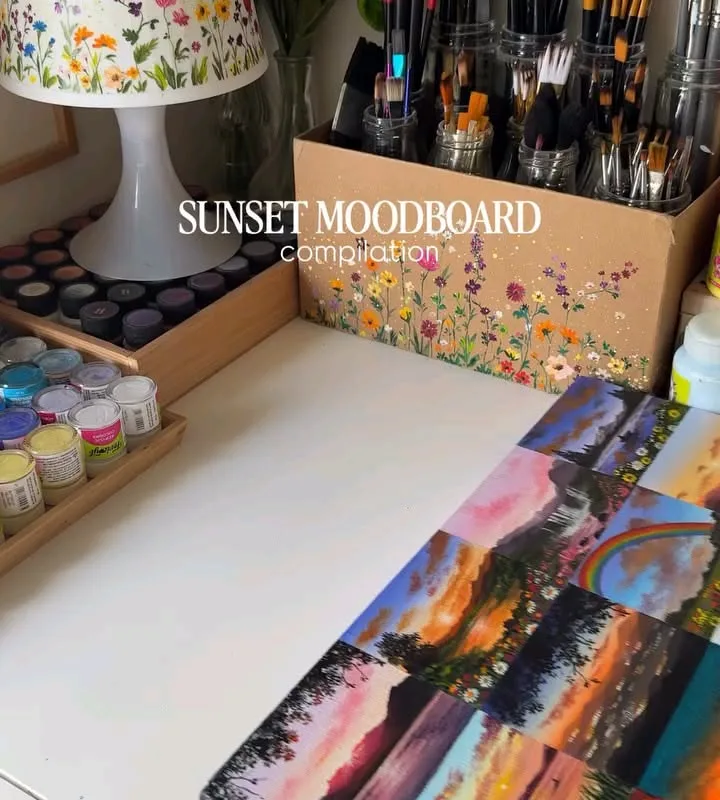
Sunset moodboards are everywhere on Pinterest. But most people just throw together pretty pictures and hope for the best. In this post, I'll share seven specific hacks to create a sunset moodboard that actually looks cohesive and professional.
Advertisements1
- A limited color palette of 3-5 colors creates cohesion.
- The rule of thirds makes your layout more dynamic.
- Mix image types (photos, illustrations, textures) for depth.
- Consistent editing unifies disparate images.
- Leave 30% negative space for breathing room.
- Organize your files with a naming system to save time.
Hack 1: Use a Color Palette to Guide Your Image Selection
Start by choosing a specific sunset color palette. For example, a classic sunset might include coral (#FF7F50), gold (#FFD700), and lavender (#E6E6FA). Use a tool like Adobe Color to generate a palette from a sunset photo you love. Then, only select images that fit within that palette. This ensures visual harmony.
Why it works: A limited palette creates a cohesive look that's pleasing to the eye. It also makes your moodboard instantly recognizable as a sunset theme.
Common mistake: Using too many colors. Stick to 3-5 main colors. If you include every color in the sunset, it becomes chaotic.
Hack 2: Follow the Rule of Thirds for Layout
When arranging images on your moodboard, imagine a 3×3 grid over your canvas. Place key elements along the lines or at intersections. For example, put the sun at one intersection and the horizon along a line. This creates balance and interest.
Why it works: The rule of thirds is a fundamental design principle that makes compositions more dynamic and professional.
Common mistake: Centering everything. While symmetry can work, it often looks static. Off-center placement adds energy.
Hack 3: Mix Different Image Types for Texture
Don't just use photos. Combine photos, illustrations, textures (like watercolor washes), and typography. For a sunset moodboard, include a photo of a sunset, a watercolor swatch in sunset colors, and a quote about sunsets in a complementary font.
Why it works: Variety adds depth and keeps the viewer engaged. It also makes the board more versatile for inspiration.
Common mistake: Using images that are too similar. If everything is a photo of the sun, it gets boring. Mix it up.
Hack 4: Use a Consistent Filter or Editing Style
Apply a similar filter or editing style to all photos. For example, increase warmth and saturation slightly, or use a soft fade. In Lightroom, you can create a preset and apply it to all images. This unifies the look.
Why it works: A consistent editing style makes disparate images feel like they belong together. It's like a signature look.
Common mistake: Over-editing. If you crank up the saturation too much, it looks fake. Keep it subtle.
Hack 5: Add Negative Space for Breathing Room
Don't fill every inch of your moodboard. Leave some empty space (negative space) around images. This gives the eye a rest and makes the images stand out more. Aim for about 30% empty space.
Why it works: Negative space improves readability and focus. It prevents the board from looking cluttered.
Common mistake: Crowding. If images are touching each other, it feels chaotic. Space them out.
Hack 6: Incorporate Text Overlays Sparingly
Add a short quote or word like 'Golden Hour' or 'Sunset Dreams' in a font that matches the mood. Use a script font for elegance or a sans-serif for modern. Place it in a negative space area. Keep it to 1-2 text elements.
Why it works: Text can reinforce the theme and add a personal touch. It also helps with SEO if you're sharing on Pinterest.
Common mistake: Using too much text or hard-to-read fonts. It distracts from the visuals.
Hack 7: Save and Organize with a Naming System
When saving images, rename them with a consistent system like 'sunset_moodboard_01.jpg'. Store them in a dedicated folder. If using Pinterest, create a board specifically for sunset moodboards and use relevant keywords in the description.
Why it works: Organization saves time when you need to find images later. It also helps with searchability if you share your board.
Common mistake: Using generic names like 'IMG_1234.jpg'. You'll waste time searching later.
The Hacks, Step by Step
- 1Choose a sunset color palette
Select 3-5 colors from a sunset photo using Adobe Color. Use these as your guide for all images. - 2Gather 10-15 images
Collect photos, illustrations, and textures that fit your palette. Aim for variety in subject matter but consistency in color. - 3Apply a consistent filter
Edit all photos with the same preset or adjustments to unify the look. Keep edits subtle. - 4Arrange using the rule of thirds
Place key elements along the grid lines or intersections. Leave about 30% negative space. - 5Add 1-2 text overlays
Include a short quote or word in a matching font. Place it in a negative space area. - 6Save and organize
Rename files with a consistent system and store in a dedicated folder. If sharing on Pinterest, use keywords.
A great sunset moodboard isn't about the number of images, but the harmony between them.
Frequently Asked Questions
What is a sunset moodboard?
A sunset moodboard is a collection of images, colors, and textures inspired by sunsets, used for design inspiration or aesthetic planning. It typically features warm hues like orange, pink, and purple.
How many images should be on a moodboard?
Aim for 10-15 images to avoid clutter. This allows enough variety while maintaining a cohesive look.
What colors are best for a sunset moodboard?
Warm colors like coral, gold, lavender, and peach work best. Choose 3-5 main colors to keep it cohesive.
Can I use a sunset moodboard for my business?
Yes, moodboards are great for branding, social media, and interior design. They help communicate a visual direction.
How do I make my moodboard look professional?
Use a consistent color palette, apply similar edits to all images, and follow design principles like the rule of thirds. Leave negative space and limit text overlays.


