

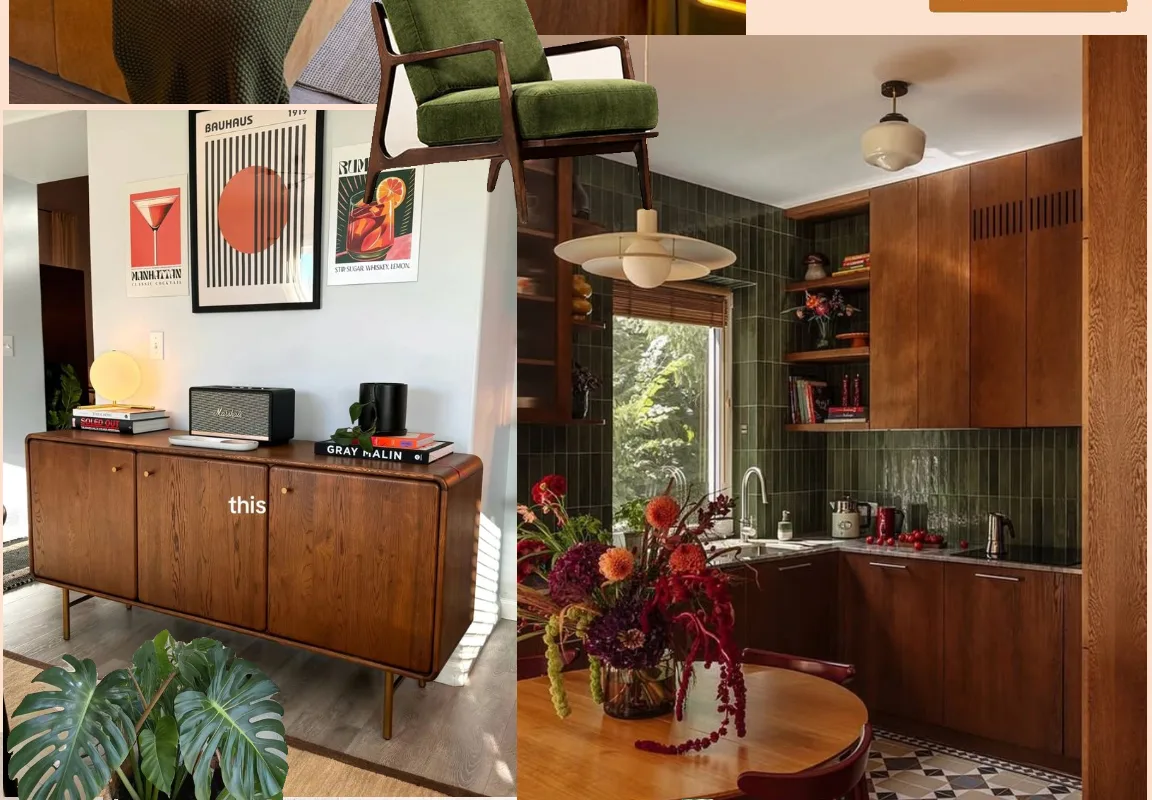
I still remember the first time I made a real moodboard. I was planning a tiny bedroom refresh, and I had a folder full of screenshots that made no sense together. Once I dropped them onto one page, everything clicked. Colors talked to each other. Textures made sense. That messy folder became a plan.
Advertisements1
Since then, I’ve tested a lot of moodboard tools. Some are gorgeous. Some are fast. A few are both. Below are 15 moodboard websites and apps worth your time, from quick collage makers to full design platforms. Each one solves a slightly different problem, so you can pick the one that fits how you actually create.
Table of Contents(Click to Toggle)
Why a Good Moodboard Changes Everything
A moodboard is not decoration. It’s a decision-making tool. When you can see ten images side by side, you stop guessing and start choosing. I use them for client projects, yes, but also for birthday party themes, wardrobe resets, and even the color scheme of this little newsletter I write.
The trick is finding a place to collect images that doesn’t feel like work. Some people love a blank canvas and total control. Others want to scroll, save, and let the board build itself. Both are valid. The tools below cover the full range, and most are free to start.
One quick tip before we dive in: don’t overthink your first board. Grab 10 to 15 images that make you feel something, then step back. Patterns will show up faster than you expect.
15 Moodboard Websites for Visual Inspiration
1. Milanote : The all-in-one board for visual planners
What it is: A visual workspace where you drag images, notes, links, and color swatches onto an endless board.
Category: Planning and organization
Why it stands out:
- Boards can hold text notes, to-do lists, and embedded files right next to your images.
- Great for projects that need both inspiration and logistics, like a wedding or a rebrand.
- Free plan includes 100 items, which is plenty for a single board.
Best for: People who want their moodboard and their plan in one place.
2. Pinterest : The endless scroll of visual ideas
What it is: The classic inspiration engine, where boards collect pins from across the web.
Category: Discovery and saving
Why it stands out:
- The recommendation engine is genuinely good at finding adjacent ideas you didn’t know to search for.
- Secret boards let you collect without an audience.
- Downside: boards can feel cluttered, and it’s easy to save more than you’ll ever use.
Best for: Early-stage brainstorming when you don’t know what you want yet.
3. Are.na : Quiet, thoughtful collecting for deep thinkers
What it is: A calm platform for collecting images, links, and text into channels, with a strong community of designers and researchers.
Category: Curated collecting
Why it stands out:
- No algorithm, no ads, no likes. Just what you chose to keep.
- Channels can connect to each other, so you can map how ideas relate.
- The interface is text-forward, which makes it feel more like a notebook than a feed.
Best for: Anyone who finds Pinterest too noisy and wants a slower, more intentional space.
4. Cosmos : A minimalist visual library that feels like art
What it is: A sleek platform for saving and organizing images into clusters, built with a strong aesthetic point of view.
Category: Visual library
Why it stands out:
- The grid is clean and distraction-free, so your images do the talking.
- Clusters work like moodboards but stay easy to browse on mobile.
- It’s newer and smaller than Pinterest, so the inspiration feels fresher.
Best for: Designers and creatives who care as much about the tool’s look as their own board.
5. Figma : Design-grade boards with total control
What it is: A collaborative design tool that doubles as a surprisingly powerful moodboard canvas.
Category: Design collaboration
Why it stands out:
- You can pull exact color values, test type pairings, and annotate images with comments.
- FigJam boards are built for sticky notes and quick group brainstorming.
- Free tier is generous for solo work, though real-time collaboration is where it shines.
Best for: Teams that need to agree on a direction before designing anything.
6. Canva : Fast, friendly collages for everyone
What it is: A drag-and-drop design platform with moodboard templates, stock photos, and easy export options.
Category: Beginner design
Why it stands out:
- Templates mean you can build a polished board in minutes, even with zero design background.
- The built-in photo library saves you from hunting for images elsewhere.
- Exports to PDF or PNG make it easy to share with clients or print for your wall.
Best for: Beginners and anyone who needs a shareable board fast.
7. Savee : A bookmarking tool made for visual people
What it is: A fast image-saving platform with a browser extension that grabs visuals from any site.
Category: Quick saving
Why it stands out:
- One click saves an image to your board, so collecting stays frictionless.
- The board view is image-first and loads quickly, even with hundreds of saves.
- Popular with photographers and art directors for building reference libraries.
Best for: People who collect constantly and want a fast, tidy archive.
8. Behance : Professional project inspiration at scale
What it is: Adobe’s portfolio platform, packed with full project case studies from designers worldwide.
Category: Professional inspiration
Why it stands out:
- You see complete projects, not just isolated images, which helps you understand the thinking behind a look.
- Moodboards and process shots are often included in case studies.
- You can save projects to collections for later reference.
Best for: Designers researching a specific industry or style in depth.
9. Dribbble : Bite-sized shots of design inspiration
What it is: A showcase of design work in small, scrollable shots, from UI to illustration.
Category: Design inspiration
Why it stands out:
- The shot format is perfect for quick visual scanning when you need a spark.
- Tags and search make it easy to find a niche, like packaging or typography.
- Pro accounts let you save into buckets, which work like mini moodboards.
Best for: Quick bursts of inspiration when you’re stuck on a single element.
10. Unsplash : Free high-quality photos for your boards
What it is: A library of free, high-resolution photography donated by creators.
Category: Stock photography
Why it stands out:
- Every image is free to use, which makes it safe for client boards and commercial projects.
- Collections let you group images by mood, color, or subject.
- The search is strong for abstract concepts like “calm” or “morning light.”
Best for: Filling gaps in a board when you can’t find the exact shot you need.
11. Niice : Collaborative boards for teams and clients
What it is: A moodboard tool built for sharing and feedback, with private boards and commenting.
Category: Team collaboration
Why it stands out:
- Boards can be shared with clients who don’t need an account to view them.
- You can pull in images, videos, and notes from the web in one place.
- Keeps feedback attached to the board instead of scattered across email threads.
Best for: Freelancers and studios presenting ideas to clients.
12. PureRef : The desktop tool artists swear by
What it is: A lightweight desktop app for arranging reference images on a single canvas, always on top of your other windows.
Category: Artist reference
Why it stands out:
- It stays floating above your work, so you can paint or model while glancing at references.
- Zero clutter: just images on a dark canvas, no menus or feeds.
- Free for personal use, with a one-time purchase for commercial use.
Best for: Illustrators, 3D artists, and anyone who works with references open all day.
13. Moodboard by SampleBoard : A dedicated board maker with a clean workflow
What it is: A web tool focused specifically on building and sharing moodboards, with templates and drag-and-drop editing.
Category: Dedicated moodboard tool
Why it stands out:
- Purpose-built for moodboards, so the interface isn’t cluttered with unrelated features.
- Templates help you start fast, and you can customize layouts to fit a project.
- Good for interior and fashion boards where layout matters as much as the images.
Best for: Interior designers and stylists who build boards regularly.
14. Tumblr : The underrated home of aesthetic inspiration
What it is: A blogging platform where image-heavy posts and reblogs create organic, sprawling moodboards.
Category: Social inspiration
Why it stands out:
- Tags like “aesthetic” or “moodboard” surface huge archives of curated visuals.
- Reblogging lets you build a board by simply collecting what you love.
- It’s less polished than newer tools, but the raw, personal feel is part of the charm.
Best for: Anyone who wants a nostalgic, community-driven source of aesthetic ideas.
15. Notion : Turn a simple page into a working moodboard
What it is: A flexible workspace where you can build a moodboard page with image galleries, notes, and links.
Category: All-in-one workspace
Why it stands out:
- Gallery views display images in a clean grid, and you can add properties like color or category.
- Boards live next to your project notes, timelines, and checklists.
- Free for personal use, and templates make setup quick.
Best for: People who already organize their life in Notion and want inspiration in the same place.
Bonus Mentions
Pexels : Another free photo library for filling gaps
What it is: A free stock photo and video site with a strong search and curated collections.
Category: Stock photography
Why it stands out:
- Free to use and easy to browse by color or theme.
- Video clips are a nice bonus for motion moodboards.
Best for: Quickly sourcing extra images when Unsplash doesn’t have the right shot.
Coolors : Build the color palette behind your board
What it is: A fast color palette generator with export options for design tools.
Category: Color tools
Why it stands out:
- Generate palettes in seconds, then lock the colors you love.
- Export to hex codes or images to drop straight into your board.
Best for: Making sure your moodboard’s colors actually work together.
Fontpair : Find type combos that match your mood
What it is: A simple site that pairs Google Fonts so you can preview combinations.
Category: Typography
Why it stands out:
- Shows real pairings instead of making you guess.
- Free fonts mean you can actually use what you find.
Best for: Adding a typography note to your moodboard without a design degree.
remove.bg : Cut out images for cleaner collages
What it is: A one-click background remover for images.
Category: Image editing
Why it stands out:
- Lets you drop objects onto a colored background for a more designed look.
- Free for small, low-resolution images.
Best for: Making product or object shots feel intentional on a board.
Moodboard Templates on Canva : Skip the blank canvas
What it is: A library of ready-made moodboard layouts inside Canva.
Category: Templates
Why it stands out:
- Swap images and text in minutes.
- Great when you need a polished board for a client or a social post.
Best for: Anyone staring at a blank page and needing a starting point.
The Best Moodboard Is the One You Actually Use
Here’s what I’ve learned after years of collecting: the tool matters less than the habit. A messy Pinterest board you revisit weekly beats a perfect Figma file you never open. So pick one from this list, make a board this week, and let it be imperfect.
My personal routine is simple. I keep a running board in Milanote for client work and a quiet Are.na channel for things that just inspire me. When I need a quick palette, I open Coolors. That’s it. No fancy system.
- Start with 10 images, not 100.
- Add one note about why you saved each image.
- Revisit the board in a week and remove what no longer fits.
Which moodboard tool did I miss? Tell me your favorite in the comments. I’m always looking for the next hidden gem.
Small steps, big change.

Maya writes about sustainable living and zero-waste practices, focusing on small, actionable changes for everyday routines. She draws from her own experiments in urban gardening and DIY household swaps.


