

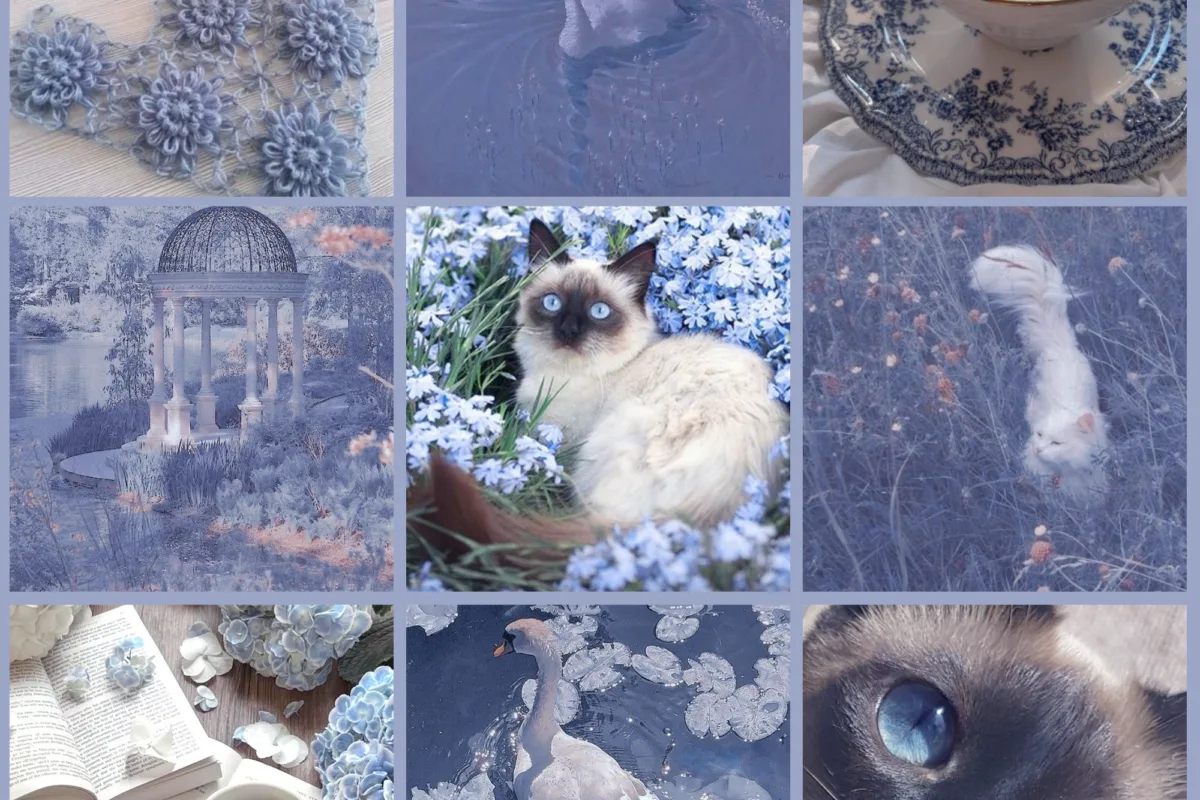
Ever pinned a hundred images only to feel more confused than inspired? You're not alone. A moodboard isn't just a pretty collage—it's a strategic tool to align your vision, and I'll show you exactly how to build one that actually works.
Advertisements1
- A moodboard is a strategic tool, not a collection—curate with purpose.
- Limit your palette to three colors and stick to them for cohesion.
- Incorporate texture and typography to add depth and tell a story.
- Use Pinterest as a starting point, but set boundaries to avoid overwhelm.
- Turn your moodboard into an action plan with a style guide and next steps.
Why Moodboards Matter (And Why Most People Get Them Wrong)
A moodboard is more than a collection of pretty pictures—it's a communication tool that translates abstract ideas into a shared visual language. Whether you're designing a room, planning a brand, or writing a novel, a moodboard keeps you focused and aligned. But here's the catch: most people treat moodboards as digital hoarding grounds. They pin everything they like, resulting in a chaotic mess that inspires nothing.
The key is curation over accumulation. Instead of saving every image that catches your eye, ask: Does this serve the core concept? I learned this the hard way when I spent hours pinning 200+ images for a client's bakery branding, only to realize the board was a jumble of conflicting styles. The fix? I narrowed it down to 15 images that all screamed 'rustic warmth' and 'artisanal craft.' The client immediately got it.
So before you start pinning, define your moodboard's purpose. Is it to evoke a feeling, establish a color palette, or guide a specific project? Write a one-sentence mission statement and keep it visible. This simple step will save you hours of indecision later.
The 3-Color Rule: How to Build a Cohesive Palette Without Overthinking
Color is the backbone of any moodboard. But instead of drowning in endless options, limit yourself to three core colors: a dominant hue, a secondary accent, and a neutral base. This constraint forces you to be intentional and creates instant harmony. For example, for a coastal-inspired board, you might choose sandy beige (dominant), ocean blue (accent), and driftwood gray (neutral).
Once you have your three colors, extract them from your images using tools like Adobe Color or Coolors. Then, when adding new images, check if they fit within this palette. If a stunning photo clashes, resist the urge to include it—no matter how much you love it. Trust me, I've seen boards ruined by one off-palette image that threw everything into disarray.
If you're feeling stuck, try the 60-30-10 rule: 60% dominant color, 30% secondary, 10% accent. This ratio is pleasing to the eye and easy to apply. And remember, you can always adjust later—moodboards are living documents.
Texture, Typography, and the Art of Visual Storytelling
A moodboard that only includes photos is like a cake without frosting—flat. To add depth, incorporate textures (e.g., wood grain, marble, fabric swatches) and typography that reflects your vibe. For a luxury brand, you might pair a serif font like Playfair Display with a smooth marble texture and a gold accent. For a playful children's brand, a rounded sans-serif like Quicksand with confetti patterns and bright primary colors works wonders.
When selecting textures, think about how they make you feel. Rough burlap evokes rustic charm, while sleek glass suggests modernity. I often create a separate 'texture layer' in my digital moodboards to ensure I'm not neglecting this crucial element. Similarly, typography should be limited to two fonts max—one for headlines, one for body—to avoid visual clutter.
Pro tip: Use a tool like Canva or Milanote to layer these elements and see how they interact. The goal is to tell a story that goes beyond images. Ask yourself: If my moodboard were a person, how would they speak? What would they wear? This mindset will guide your choices.
Digital vs. Physical Moodboards: Which One Should You Choose?
Digital moodboards (using Pinterest, Milanote, or Photoshop) are portable, easily editable, and great for collaboration. They're perfect for remote teams or when you need to share your vision instantly. However, they can lack tactile feedback. Physical moodboards—made with corkboards, foam core, and actual fabric swatches—offer a sensory experience that digital can't replicate. They're ideal for interior design or any project where materiality matters.
In my experience, a hybrid approach works best. Start digitally to gather and refine your ideas, then create a physical board for the final presentation. This way, you get the best of both worlds: the efficiency of digital and the impact of physical. For a recent wedding planning project, I used a digital board to narrow down themes, then assembled a physical board with fabric samples, ribbon, and paint chips. The couple was able to touch and feel the vision, which made the decision process much smoother.
If you're short on space, consider a digital board with high-resolution images that mimic texture. But if you can, go physical—it's worth the extra effort.
Avoiding the Pinterest Trap: How to Use Pinterest Without Losing Your Vision
Pinterest is a double-edged sword. It's a goldmine of inspiration, but it can also lead you down a rabbit hole of endless scrolling. The trick is to use Pinterest as a starting point, not the final destination. Set a timer for 20 minutes and search with specific keywords (e.g., 'minimalist Scandinavian kitchen' rather than 'kitchen ideas'). Save only the images that truly resonate with your mission statement.
Once you've gathered 20-30 images, step away. Then, curate ruthlessly: delete anything that doesn't fit your color palette or mood. I often create a 'maybe' board for borderline images and revisit it later. This prevents impulsive additions that dilute your concept.
Finally, don't rely solely on Pinterest. Explore design blogs, magazines, and even nature for inspiration. Some of my best ideas came from a walk in the park or a vintage textile shop. The goal is to develop a unique perspective, not just recycle what's popular.
From Moodboard to Action Plan: Making Your Vision a Reality
A moodboard is useless if it doesn't lead to action. Once your board is complete, extract actionable insights. For a brand, this might mean defining a color palette, typography, and imagery style for your website. For an interior, it could be a shopping list of paint colors, furniture pieces, and accessories. I recommend creating a one-page 'style guide' that summarizes your moodboard's key elements.
Next, set specific next steps. If you're redesigning a room, schedule a trip to the paint store and order fabric swatches. If you're launching a brand, create a design brief for your graphic designer. The moodboard should be your north star, guiding every decision.
Remember, flexibility is key. As you execute, you might find that certain elements don't work as planned. That's okay—refer back to your moodboard and adjust. The goal is to stay true to the overall feeling, not to replicate it exactly.
How to Do It, Step by Step
- 1Define your moodboard's purpose
Write a one-sentence mission statement (e.g., 'Evoke calm, coastal luxury for a boutique hotel'). This keeps you focused and prevents random pinning. - 2Choose three core colors
Select a dominant, secondary, and neutral color. Use tools like Coolors to extract them from your favorite image. Stick to this palette when adding new images. - 3Gather 20-30 images
Search with specific keywords on Pinterest or design blogs. Save only images that align with your mission and color palette. Set a timer to avoid endless scrolling. - 4Curate ruthlessly
Delete any image that doesn't fit. If unsure, move it to a 'maybe' board. Aim for 10-15 final images that strongly convey your concept. - 5Add texture and typography
Include 2-3 texture images (e.g., wood, fabric) and 1-2 font samples. This adds depth and makes your board more tactile. - 6Create a physical or digital board
Use Milanote, Canva, or a physical corkboard. Arrange images to highlight your color palette and key elements. Step back and assess the overall feeling. - 7Extract actionable insights
Write a style guide summarizing colors, fonts, and imagery. List specific next steps (e.g., buy paint, hire designer). - 8Revisit and refine
As you execute, check back with your moodboard. Adjust if needed, but stay true to the core mood.
A moodboard isn't a gallery of pretty pictures; it's a compass that points to your project's true north.
Frequently Asked Questions
What's the difference between a moodboard and a vision board?
A moodboard is project-specific and guides creative direction, while a vision board is personal and focuses on life goals. Moodboards are tactical; vision boards are aspirational.
How many images should a moodboard have?
Aim for 10-15 carefully selected images. Too many can dilute your concept, so prioritize quality over quantity.
Can I make a moodboard for free?
Absolutely. Use free tools like Pinterest, Canva, or even a blank wall with printed images. The key is curation, not cost.
How do I use a moodboard for interior design?
Include paint swatches, fabric samples, furniture photos, and lighting ideas. Use it to communicate your vision to contractors or to guide your shopping.
What if my moodboard feels disjointed?
Revisit your mission statement and color palette. Remove any images that don't align. Sometimes less is more—try reducing to 10 images.

Elena focuses on healthy cooking and meal prep for people with limited time and budget. She shares flexible recipes and shortcuts that don’t sacrifice flavor.


