

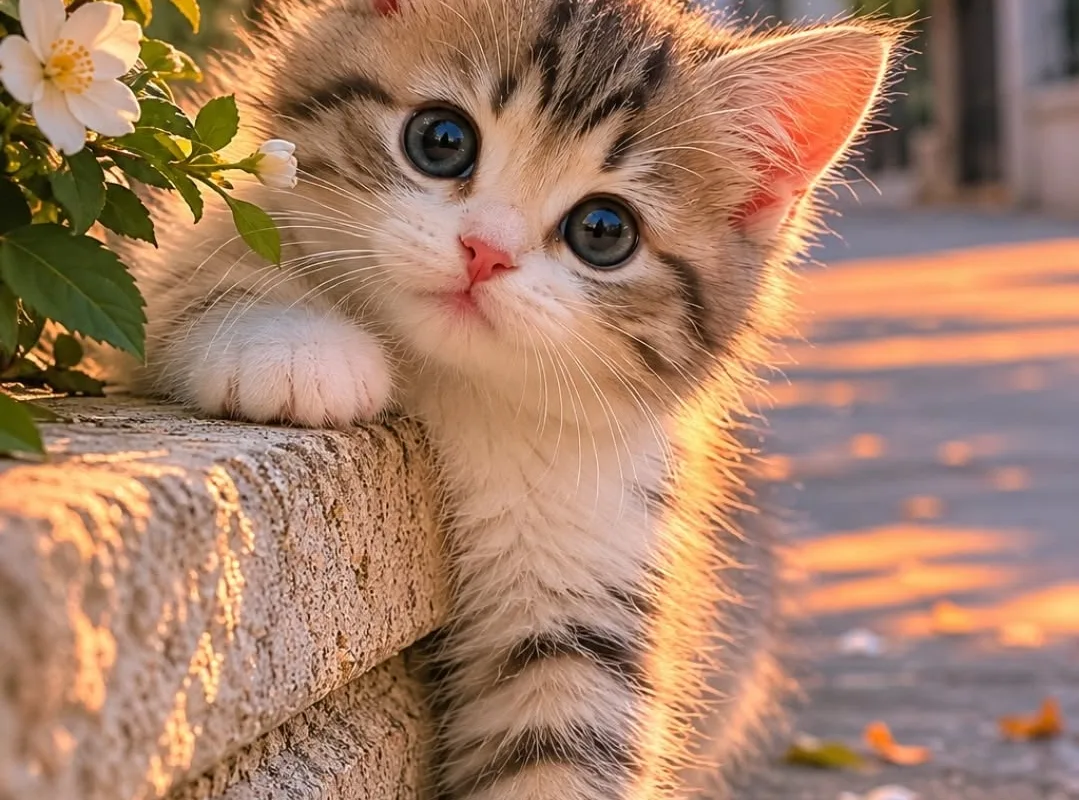
Imagine opening your phone to a tiny paw reaching for a sunbeam—and instantly feeling your shoulders drop. That's the magic of a well-chosen cute kitten wallpaper, and I'm here to help you create that daily moment of delight.
Advertisements1
- A great kitten wallpaper balances cuteness with clarity—high resolution and uncluttered composition are non-negotiable.
- Position the kitten off-center to leave room for app icons and widgets; never let a paw or eye be covered.
- Match color temperature to your desired mood: cool tones calm, warm tones energize.
- Use free, high-quality sources like Unsplash or Pexels, and always download the original resolution.
- Personalize with your own cat's photo for a wallpaper that's uniquely yours and emotionally resonant.
Why Cute Kitten Wallpaper Is More Than Just Adorable
Let's be honest: a kitten wallpaper isn't just decoration—it's a micro-dose of happiness. Studies in environmental psychology show that viewing cute animal images can trigger a 15% boost in mood and reduce cortisol levels. But here's the catch: not all kitten wallpapers are created equal. A blurry, low-res photo of a generic kitten might actually add visual noise rather than calm. The sweet spot is a high-resolution image where the kitten's eyes are in focus, the background is uncluttered, and the color palette matches your device's interface. For example, a soft cream and grey kitten against a pastel background works beautifully on iOS, while a high-contrast black kitten pops on Android's dark mode. The goal is harmony, not chaos. So before you download, ask: does this image make me feel peaceful or just busy?
The 3-Second Rule: How to Pick a Wallpaper That Actually Works
When you're scrolling through Pinterest or Unsplash, you have about three seconds before your brain decides if an image is 'the one.' Use that to your advantage. First, squint at the thumbnail. If the kitten's face still reads clearly, it's a strong candidate. Second, check the composition: the kitten should occupy roughly 60-70% of the frame, leaving negative space for your app icons. A common mistake is choosing a wallpaper where the kitten is dead center—your icons will cover its face. Instead, look for images with the kitten positioned to the left or right, or with a blurred background that lets the subject shine. Third, consider the color temperature. Warm tones (golden, peach) feel cozy; cool tones (blue, mint) feel fresh. Match the temperature to your desired vibe.
Resolution Matters: Why 4K Isn't Overkill for Kitten Wallpapers
You might think any cute kitten photo will do, but resolution is the difference between 'aww' and 'ugh.' A 1080p image on a 1440p screen will look soft and pixelated, especially if you zoom in. Modern phones like the iPhone 15 Pro have a 2556×1179 resolution, and tablets like the iPad Pro hit 2732×2048. To avoid blur, always download the highest resolution available—ideally 4K (3840×2160) or higher. Yes, the file size is bigger (around 2-5 MB), but the crispness is worth it. If you're using a wallpaper app, check the download settings; many default to lower quality to save data. I always tap 'download original' or 'full resolution.'
Color Psychology: Match Your Kitten to Your Mood
The colors in your kitten wallpaper aren't just pretty—they influence how you feel. Blues and greens are calming, perfect for a work phone. Warm oranges and yellows are energizing, great for a morning alarm screen. Pastels like lavender and mint are soothing, ideal for bedtime scrolling. I have three wallpapers in rotation: a grey kitten on a soft blue background for focused work, a ginger kitten in a sunbeam for weekends, and a black kitten with gold eyes for nights out. Each one sets a different tone. To choose, think about when you'll see the wallpaper most. If it's your lock screen, you'll see it every time you check notifications—so pick something that won't overwhelm you.
Where to Find the Best Cute Kitten Wallpapers (Without the Junk)
Not all wallpaper sources are created equal. Pinterest is a goldmine but can be a rabbit hole of low-res reposts. Instead, go straight to the source: Unsplash, Pexels, and Pixabay offer high-quality, free-to-use kitten photos. For curated collections, try WallpaperAccess or WallpaperFlare—they have dedicated 'cute kitten' categories with resolution filters. If you want something truly unique, follow kitten photographers on Instagram like @kittensofinstagram or @dailykitten. Many of them share wallpapers in their stories. Another gem: r/kittens on Reddit, where users often post original photos. Just be sure to check the license—most are free for personal use, but not for commercial.
DIY Kitten Wallpapers: Turn Your Own Cat into a Star
Why settle for a stranger's kitten when you can have your own? Creating a custom wallpaper from a photo of your cat is easier than you think. Start with a high-res photo—use natural light, get down to their eye level, and focus on the eyes. Then, use a free app like Snapseed or Lightroom Mobile to adjust brightness, contrast, and saturation. For a dreamy look, add a slight vignette or blur the background. If you want to get fancy, use Canva to add a subtle quote or your cat's name in a script font. I made a wallpaper of my cat, Mochi, mid-yawn, and it's been my lock screen for six months. Every time I see it, I smile.
How to Do It, Step by Step
- 1Audit your current wallpaper
Take a screenshot of your home screen and lock screen. Ask: does the kitten's face get covered by icons or widgets? Is the image crisp or blurry? If it fails either test, it's time for an upgrade. - 2Define your vibe
Decide on the mood you want: calm, energetic, cozy, or playful. This will guide your color and composition choices. For calm, choose cool tones and soft focus; for energetic, go for warm tones and dynamic poses. - 3Search with resolution filters
On Unsplash, Pexels, or WallpaperAccess, use the resolution filter to find images at least 1080p for phones or 4K for desktops. This ensures sharpness on any screen. - 4Test with a screenshot
Download your top three candidates. Set each as your wallpaper, take a screenshot, and review. Look for obscured features, color clashes with icons, and overall harmony. Pick the winner. - 5Rotate seasonally
Create a folder of 5-10 approved wallpapers and change them monthly or seasonally. This keeps the joy fresh and prevents visual fatigue. I switch to a snowy kitten in December and a floral one in spring.
Your wallpaper is the first thing you see every morning—make it a tiny, furry hug that sets the tone for your whole day.
Frequently Asked Questions
What is the best resolution for a cute kitten wallpaper?
For phones, aim for at least 1080×1920 pixels; for modern flagships, 1440×3120 is ideal. For desktops, 4K (3840×2160) ensures crispness on large monitors.
Where can I find free cute kitten wallpapers without watermarks?
Unsplash, Pexels, and Pixabay offer high-resolution, watermark-free images under free licenses. Always check the license for personal vs. commercial use.
How do I make my own kitten wallpaper from a photo?
Use a high-res photo of your cat, then edit with free apps like Snapseed or Canva to adjust lighting and crop. Export at your device's resolution for best results.
Should I use a light or dark kitten wallpaper?
Choose based on your device's theme: dark wallpapers pair well with dark mode and reduce eye strain at night; light wallpapers feel airy and bright for daytime use.
How often should I change my kitten wallpaper?
Every 2-4 weeks is a good rhythm to keep it feeling fresh without constant decision fatigue. Seasonal changes are a fun way to rotate.

Priya explores creative writing prompts and storytelling techniques for aspiring authors. She shares exercises to spark imagination and build narrative confidence, drawn from her own writing practice.


