

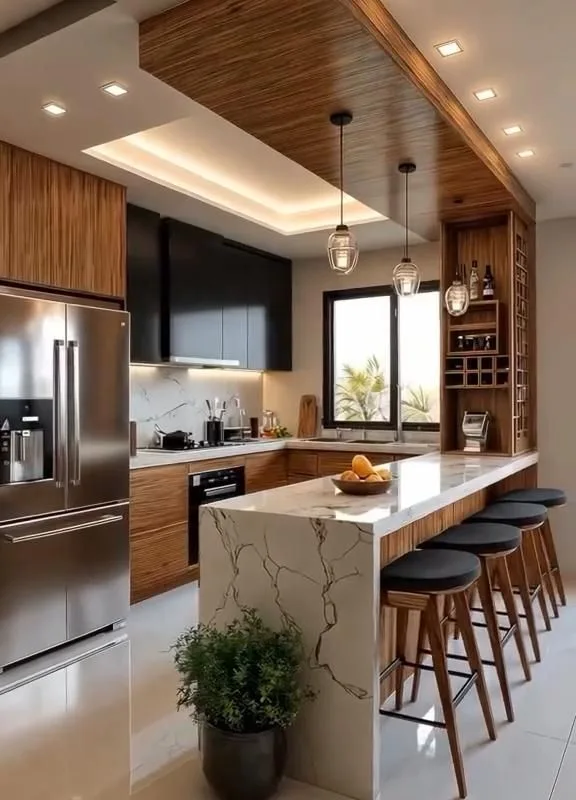
There is a particular quiet in a room where everything fits. The wardrobe meets the ceiling without a gap. The desk follows the curve of the wall as if it grew there. I noticed this first in my grandmother’s apartment, where a narrow shelf had been cut to the exact width of a chimney breast, and nothing since has ever felt quite so settled.
Advertisements1
Fitted furniture begins as a drawing. Below are fifteen planning tools, configurators and design resources that help you turn an awkward corner into something intentional — measured, drawn, and made to measure.
Table of Contents(Click to Toggle)
- Why Planning Furniture Changes a Room
- 15 Custom Furniture Planners and Configurators
- 1. IKEA Kreativ
- 2. Planner 5D
- 3. SketchUp
- 4. Roomstyler
- 5. HomeByMe
- 6. Sweet Home 3D
- 7. Floorplanner
- 8. Chief Architect
- 9. Cabinet Vision
- 10. 2020 Design Live
- 11. PolyBoard
- 12. Fusion 360
- 13. FreeCAD
- 14. CutList Optimizer
- 15. Canva
- Bonus: Houzz
- Bonus: Pinterest
- Bonus: Dwell
- Bonus: Apartment Therapy
- Bonus: Remodelista
- The Quiet Confidence of a Measured Room
Why Planning Furniture Changes a Room
Most rooms are not difficult. They are simply unmeasured. A doorway that eats thirty centimetres of wall, a radiator that refuses to move, a window sill at an odd height — these are the small frictions that make a space feel borrowed rather than owned.
When you draw the room first, the furniture stops being a guess. You see the light path. You see whether a drawer can open. You see the difference between a wardrobe that crowds and one that breathes.
Fitted furniture — the kind made to a specific plan — is not a luxury of large homes. It is a way of listening to the shape you already have. The tools below range from gentle drag-and-drop planners to professional cabinetry software, and each one answers a slightly different question.
15 Custom Furniture Planners and Configurators
1. IKEA Kreativ : Scan your real room and place fitted pieces inside it
What it is: IKEA’s AI-assisted room scanner and planner, available through the IKEA website and app.
Category: Consumer room planner
Why it stands out:
- You film your room with a phone and the tool builds a 3D model with true dimensions.
- You can remove existing furniture digitally and test storage combinations in the empty space.
- The catalogue links directly to purchasable pieces, so the plan becomes a shopping list.
Best for: Anyone planning a PAX wardrobe or BESTÅ wall who wants to see it in their actual room before committing.
2. Planner 5D : Fast 2D-to-3D home design with a deep furniture library
What it is: A browser and app-based interior design tool with both flat plan and walkthrough views.
Category: Consumer and semi-pro planner
Why it stands out:
- Switching between top-down and 3D takes one click, which makes checking clearances effortless.
- The library includes customisable cabinet modules you can resize to the centimetre.
- Snap-to-wall and snap-to-grid behaviour keeps drawings tidy without fuss.
Best for: Homeowners sketching a fitted wardrobe wall or a built-in desk nook before calling a joiner.
3. SketchUp : The designer’s sketchbook for bespoke joinery
What it is: A widely used 3D modelling program with a free web version and a large extension ecosystem.
Category: Professional design software
Why it stands out:
- Push-pull modelling lets you extrude a cabinet from a wall in seconds.
- Thousands of manufacturer components are available through the 3D Warehouse.
- It exports clean drawings that carpenters can read without translation.
Best for: Anyone commissioning custom cabinetry who wants to communicate precisely with a maker.
4. Roomstyler : Free browser planning with a soft, visual feel
What it is: A free online 3D room planner with community-shared designs.
Category: Consumer planner
Why it stands out:
- Runs entirely in the browser with no install, useful on a borrowed laptop.
- Rendering is gentle and readable, good for sharing ideas with a partner.
- You can browse other users’ fitted-storage layouts for inspiration.
Best for: Renters and first-time planners who want a quick, free visual before investing in software.
5. HomeByMe : Real-brand catalogues inside a clean 3D planner
What it is: A free 3D home design service from Dassault Systèmes with real product catalogues.
Category: Consumer planner
Why it stands out:
- Furniture from actual manufacturers means dimensions match what you can buy.
- HD renders help you judge how a dark fitted unit will feel in a small room.
- Automatic wall and door snapping keeps the plan dimensionally honest.
Best for: People choosing between two fitted layouts who need a realistic visual comparison.
6. Sweet Home 3D : Open-source planning that runs offline
What it is: A free, open-source interior design application for desktop.
Category: Open-source software
Why it stands out:
- Works without an internet connection, which matters on site or in a workshop.
- You can import your own furniture models and set exact dimensions.
- Prints a plan with measurements — genuinely useful to hand to a carpenter.
Best for: DIY builders and tinkerers who want full control and no subscription.
7. Floorplanner : Precise floor plans with a strong measurement engine
What it is: A web-based floor plan and interior tool used by both homeowners and estate agents.
Category: Consumer and professional planner
Why it stands out:
- Dimension lines stay visible while you place furniture, preventing guesswork.
- You can upload an existing floor plan image and trace over it.
- Multiple people can view a shared project, helpful when decisions involve family.
Best for: Anyone starting from an architect’s PDF who needs to test fitted storage against real walls.
8. Chief Architect : Professional-grade cabinetry and interior documentation
What it is: A family of professional architectural and interior design programs.
Category: Professional software
Why it stands out:
- Dedicated cabinet tools generate door styles, mouldings and countertops automatically.
- Produces construction drawings and material lists in the same file.
- Its interior version is more approachable than the full architectural suite.
Best for: Small design studios and serious renovators specifying fitted kitchens and wardrobes.
9. Cabinet Vision : From design straight to the CNC machine
What it is: Manufacturing software for custom cabinet and millwork shops.
Category: Manufacturing software
Why it stands out:
- Drawings convert into cutting files for CNC routers without re-entry.
- Handles complex fitted shapes — sloped ceilings, angled walls, curved fronts.
- Generates accurate quotes from the same model used for production.
Best for: Cabinetmakers who need the plan and the workshop output to be one and the same.
10. 2020 Design Live : Kitchen and bath design with real manufacturer catalogues
What it is: A professional kitchen, bath and closet design platform from 2020 Spaces.
Category: Professional software
Why it stands out:
- Manufacturer catalogues are built in, so every cabinet is a real, orderable item.
- Photorealistic renders help clients approve a layout before anything is cut.
- Strong support for the tight tolerances of fitted kitchens.
Best for: Kitchen and wardrobe showrooms designing made-to-measure storage for clients.
11. PolyBoard : Parametric cabinet design for small workshops
What it is: Cabinet design software from Wood Designer, aimed at small furniture makers.
Category: Workshop design software
Why it stands out:
- Change a dimension and the whole cabinet recalculates — shelves, doors, panels.
- Outputs cutting lists and panel optimisation for sheet materials.
- More affordable than enterprise manufacturing suites for a one-person shop.
Best for: Independent furniture makers building fitted wardrobes and alcove units.
12. Fusion 360 : Precise 3D modelling for unusual fitted shapes
What it is: Autodesk’s cloud-connected CAD and CAM platform, free for personal and hobby use.
Category: Professional CAD
Why it stands out:
- Excellent for curved or irregular joinery that simple planners cannot handle.
- Parametric history means a change to one dimension updates everything downstream.
- CAM tools connect the model to a CNC router.
Best for: Makers designing a single complex piece — a curved bench, an angled desk — with precision.
13. FreeCAD : Open-source parametric modelling, entirely free
What it is: A general-purpose open-source parametric 3D CAD program.
Category: Open-source CAD
Why it stands out:
- No licence cost at all, which suits hobbyists and students.
- Parametric sketches let you lock in the exact millimetres of a fitted unit.
- A community workbench exists for woodworking and panel layouts.
Best for: Patient learners who want professional modelling concepts without a subscription.
14. CutList Optimizer : Turn a panel list into the least wasteful cuts
What it is: A free web tool that nests rectangular parts onto sheet material.
Category: Workshop utility
Why it stands out:
- Enter your panel sizes and it calculates the most efficient cutting layout.
- Shows waste percentage, so you know how many sheets to buy.
- Works for plywood, MDF and melamine — the materials fitted furniture is made from.
Best for: Anyone who has a design and now needs to buy and cut the boards sensibly.
15. Canva : A gentle mood board before the measuring begins
What it is: A free-to-use online design platform with ready-made templates.
Category: Visual planning tool
Why it stands out:
- Mood board templates help you decide on finishes — oak, matte white, warm grey — before drawings.
- You can annotate a floor plan screenshot with notes for a joiner.
- Shared boards keep a couple’s choices in one calm place.
Best for: The stage before software: deciding how the room should feel, not just how it measures.
Bonus: Houzz : Photographs of fitted rooms, filtered by shape
A deep image library where you can search by room type and see how others solved the same awkward alcove or sloped ceiling.
Bonus: Pinterest : A quiet place to collect textures and tones
Useful less for measurements and more for atmosphere — the light, the wood grain, the handle finish you keep returning to.
Bonus: Dwell : Editorial case studies of built-in storage
Well-photographed homes where fitted furniture solves real architectural problems rather than decorating over them.
Bonus: Apartment Therapy : Small-space solutions with honest budgets
Practical writing about storage in compact homes, including what actually worked and what was later regretted.
Bonus: Remodelista : Material and joinery detail, closely observed
For the finish decisions — how a plywood edge is treated, how a handle sits against a door.
The Quiet Confidence of a Measured Room
A plan is a small act of patience. You measure twice, you draw, you erase, you draw again. Somewhere in that loop the room stops resisting you.
The tools above are only instruments. The real work is noticing — where the light lands in the morning, how much space a door truly needs, whether the shelf should end where the wall ends or a little before.
When a fitted piece finally arrives and sits flush against the plaster, there is no drama. Just a room that holds you a little more easily than before.
Which planner did you end up trusting with your own awkward corner?
Less, but better.

Ingrid explores Scandinavian minimalist design and slow living. She writes about creating calm, functional spaces with fewer, better things.


