

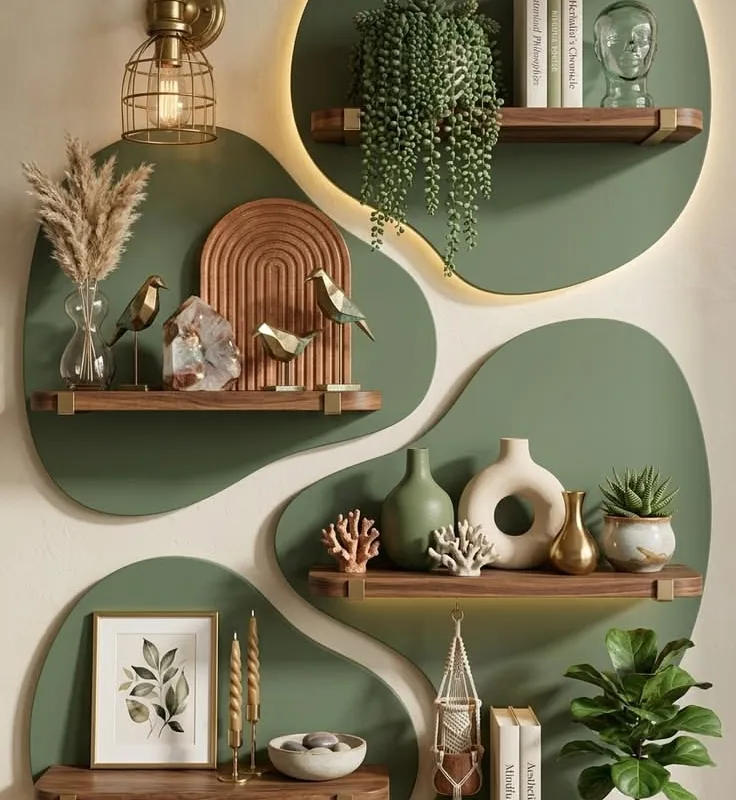
I still remember the afternoon I spent staring at a half-finished birthday invitation on my kitchen table, convinced the colors were “almost right” but somehow wrong. My daughter wandered by, pointed at the screen, and said, “Mom, that looks like a bruise.” Honest feedback from a nine-year-old. That moment sent me down a rabbit hole of color tools, and I never really climbed back out.
Advertisements1
What I found is that harmony in color isn’t magic. It’s a set of rules you can borrow, tweak, and make your own. Below are 21 tools and resources that hand you those rules on a plate, from gradient makers to color wheels to palettes pulled straight from famous paintings. You don’t need to be a designer. You just need a project and a little curiosity.
Table of Contents(Click to Toggle)
- Why Color Harmony Changes Everything You Make
- 21 Color Palette Resources Worth Bookmarking
- 1. Coolors
- 2. Adobe Color
- 3. Color Hunt
- 4. Paletton
- 5. Colormind
- 6. Khroma
- 7. Happy Hues
- 8. ColorSpace
- 9. CSS Gradient
- 10. uiGradients
- 11. WebGradients
- 12. Gradient Hunt
- 13. Colorable
- 14. Material Palette
- 15. Color Lisa
- 16. Color Leap
- 17. Colors & Fonts
- 18. Coolors Contrast Checker
- 19. Picular
- 20. ColorBox
- 21. Huemint
- Bonus: Color Hex
- Bonus: Scheme Color
- Bonus: Color Wheel Artist
- Bonus: Pigment
- The Palettes That Stick
Why Color Harmony Changes Everything You Make
Here’s what I learned after the bruise incident: harmony is about relationships, not single colors. A muddy olive can look elegant next to dusty rose and look terrible next to bright orange. The same hex code behaves differently depending on its neighbors.
This matters more than most of us realize. A harmonious palette makes a homemade flyer look intentional. It makes a small business feel trustworthy. It makes a craft project feel finished. And the good news is that you don’t have to train your eye for years to get there. You can borrow proven color relationships, like complementary, analogous, and triadic schemes, and let a tool do the math.
I use these resources for everything now: school newsletters, my Etsy shop banners, even picking paint swatches for the hallway. Progress over perfection, always.
21 Color Palette Resources Worth Bookmarking
1. Coolors : The fastest palette generator on the web
What it is: A generator that spits out five-color palettes with a tap of the spacebar.
Category: Palette generator
Why it stands out:
- Lock the colors you love and regenerate only the rest
- Exports to PNG, PDF, and CSS variables
- Free tier covers most casual projects
Best for: Anyone who needs a solid palette in under two minutes.
2. Adobe Color : Classic color wheel with real color theory built in
What it is: Adobe’s free color wheel that lets you build palettes using complementary, analogous, triadic, and other harmony rules.
Category: Color wheel and theory tool
Why it stands out:
- Drag handles around the wheel and watch the harmony update live
- Extract palettes from uploaded photos
- Accessibility check shows contrast against white and black text
Best for: People who want to understand why a combination works, not just copy it.
3. Color Hunt : A curated gallery of trending four-color palettes
What it is: A community-driven collection of palettes, sorted by popularity, trending, and color family.
Category: Palette gallery
Why it stands out:
- Every palette is exactly four colors, which keeps things simple
- Filter by warm, cold, pastel, retro, or dark moods
- Copy hex codes with one click; no account needed
Best for: Quick inspiration when you’re stuck at the blank-page stage.
4. Paletton : Deep color-scheme building for people who like options
What it is: A browser-based color scheme designer with adjustable harmony rules and a live preview.
Category: Color wheel and scheme designer
Why it stands out:
- Shows palettes in context with a sample web page and text preview
- Handles tints, shades, and saturation variations in one view
- Interface feels dated, but the underlying logic is excellent
Best for: Designers who want to see how a palette behaves in a real layout.
5. Colormind : AI-generated palettes trained on real design work
What it is: A machine-learning palette generator that produces combinations trained on photographs and design assets.
Category: AI palette generator
Why it stands out:
- Lock any color and let the model fill in the rest
- Upload an image to pull a palette from it
- Results feel a little unexpected, which is often exactly what you need
Best for: Breaking out of the same safe color habits.
6. Khroma : A palette tool that learns your personal taste
What it is: You pick 50 colors you like, and Khroma trains a neural network to generate palettes in your style.
Category: AI palette generator
Why it stands out:
- Palettes feel personal after the short training step
- Shows type and color combinations together
- Setup takes a few minutes, so it’s not for instant grabs
Best for: Creators who want a consistent signature look.
7. Happy Hues : Palettes shown in a real website mockup
What it is: A curated set of palettes displayed inside a sample landing page so you can see them in context.
Category: Palette gallery
Why it stands out:
- Each palette comes with named roles like background, text, and accent
- Removes the guesswork of which color goes where
- Smaller library than others, but every entry is usable
Best for: Beginners building their first website or landing page.
8. ColorSpace : One color in, dozens of harmonious palettes out
What it is: Enter a single color and ColorSpace returns multiple palette options built around it.
Category: Palette generator
Why it stands out:
- Great when you already have a brand color and need partners for it
- Also includes gradient and CSS color-mix suggestions
- Results are grouped by mood, from pastel to deep
Best for: Small business owners working from an existing logo color.
9. CSS Gradient : Build gradients visually and copy the code
What it is: A drag-and-drop gradient builder that outputs ready-to-paste CSS.
Category: Gradient generator
Why it stands out:
- Adjust angle, color stops, and opacity with instant preview
- Includes a library of preset gradients for quick starts
- Also explains the CSS it generates, which helps you learn
Best for: Web builders who want gradients without hand-writing code.
10. uiGradients : A hand-picked gradient collection with copyable CSS
What it is: A gallery of named gradients, each with a one-click CSS copy.
Category: Gradient gallery
Why it stands out:
- Gradients are curated, so quality stays high
- Keyboard shortcuts let you flip through them quickly
- No search or filtering, which keeps browsing simple but limited
Best for: Adding polish to buttons, headers, and hero sections.
11. WebGradients : Free gradient pack with downloadable assets
What it is: A set of 180 gradients available as CSS, Sketch, and PNG files.
Category: Gradient gallery
Why it stands out:
- Downloadable files make it useful beyond the browser
- Gradients are soft and modern, good for backgrounds
- Library is fixed, so it won’t grow with new trends
Best for: Designers who need gradient assets for print or mockups.
12. Gradient Hunt : A community gallery of trending gradients
What it is: An open collection where users submit gradients, sorted by popularity and color.
Category: Gradient gallery
Why it stands out:
- Fresh submissions keep the library current
- Filter by color family to match an existing palette
- Quality varies since it’s community-driven
Best for: Finding on-trend gradient ideas fast.
13. Colorable : Test text and background contrast instantly
What it is: A simple tool that shows how a text color performs against a background color, with a contrast score.
Category: Accessibility checker
Why it stands out:
- Shows WCAG pass or fail scores clearly
- Lets you preview real sample text, not just swatches
- Single-purpose and fast, though it won’t suggest fixes
Best for: Making sure your palette is readable, not just pretty.
14. Material Palette : Pair two colors and get a full Material scheme
What it is: Pick a primary and accent color and it generates a complete Material Design palette.
Category: Palette generator
Why it stands out:
- Outputs every shade you need for buttons, text, and dividers
- Downloadable as CSS, SVG, or a color reference image
- Focused on Material Design, so it’s less flexible for other styles
Best for: App and Android projects that follow Material guidelines.
15. Color Lisa : Palettes pulled from famous artworks
What it is: A curated collection of palettes extracted from paintings by masters like Monet and Klimt.
Category: Artistic palette gallery
Why it stands out:
- Each palette links back to the artwork it came from
- Colors feel rich and unusual compared to typical web palettes
- Small library, but a lovely source of inspiration
Best for: Adding a painterly, timeless feel to a project.
16. Color Leap : Palettes from 4,000 years of art history
What it is: A time-travel tool that shows palettes from different historical eras, from ancient Egypt to the 1960s.
Category: Historical palette gallery
Why it stands out:
- Each era includes sample artwork and a short description
- Great for themed projects like retro posters or vintage invites
- Browsing is the main feature; export options are basic
Best for: Themed designs and anyone who loves a bit of history.
17. Colors & Fonts : Palettes paired with matching typefaces
What it is: A daily-updated resource that pairs color palettes with font combinations.
Category: Color and typography resource
Why it stands out:
- Solves two design problems in one place
- Includes gradients, color swatches, and accessibility notes
- Best used as inspiration rather than a full editor
Best for: Anyone designing a brand or social media template.
18. Coolors Contrast Checker : A quick readability check for any two colors
What it is: A dedicated contrast tool inside Coolors that scores any foreground and background pairing.
Category: Accessibility checker
Why it stands out:
- Clear pass or fail labels for normal and large text
- Shows a live sample so you can judge with your own eyes
- No account needed and no clutter
Best for: A final sanity check before you publish anything.
19. Picular : Search any word and get colors for it
What it is: A color search engine that returns palettes based on a keyword, powered by image search results.
Category: Keyword color search
Why it stands out:
- Type “sunset” or “forest” and get colors that match the mood
- Fun for naming projects or matching a theme
- Results can be unpredictable, so treat it as inspiration
Best for: Mood-based palettes for events, gifts, and creative projects.
20. ColorBox : Build systematic color scales step by step
What it is: A tool by Lyft for creating consistent color scales with fine control over hue, saturation, and lightness.
Category: Color scale builder
Why it stands out:
- Produces full scales from light to dark for each hue
- Exports as JSON for design systems
- Interface is more technical than beginner-friendly
Best for: Anyone building a design system or a large website.
21. Huemint : AI palettes previewed on real brand layouts
What it is: A machine-learning tool that generates palettes and shows them applied to brand mockups like websites and posters.
Category: AI palette generator
Why it stands out:
- Preview modes show how colors work across a full layout
- Adjustable settings for contrast and colorfulness
- Results need a little curation, but the previews are genuinely useful
Best for: Seeing a palette in action before committing to it.
Bonus: Color Hex : The encyclopedia of individual color codes
What it is: A reference site with a page for nearly every hex code, including tints, shades, and palettes that use it.
Category: Color reference
Why it stands out: Great when you have one exact code and want to see what it pairs with.
Best for: Looking up a single color in detail.
Bonus: Scheme Color : Palettes named after real-world themes
What it is: A library of palettes inspired by flags, brands, nature, and pop culture.
Category: Themed palette gallery
Why it stands out: Handy for themed projects, like a party palette based on a favorite movie.
Best for: Event planning and themed designs.
Bonus: Color Wheel Artist : Plain-language color theory for beginners
What it is: An educational site explaining color wheels, harmonies, and mixing in simple terms.
Category: Color theory education
Why it stands out: Explains the “why” behind the tools above, without jargon.
Best for: Anyone who wants to understand harmony, not just copy it.
Bonus: Pigment : A playful palette explorer with real-time previews
What it is: A ShapeFactory tool that generates palettes and previews them on simple shapes and text.
Category: Palette generator
Why it stands out: The live preview makes it easy to feel a palette before you use it.
Best for: Quick visual experiments.
The Palettes That Stick
If there’s one thing I’ve taken from all this testing, it’s that you don’t need every tool on this list. You need two or three you actually reach for. For me, that’s Coolors when I’m in a hurry, Happy Hues when I need to see a palette in context, and Color Leap when I want something with a story behind it.
Start with one project this week. Pick a single thing you’ve been putting off, like a birthday invitation or a shop banner, and run it through one of these tools. Don’t aim for perfect. Aim for done, then adjust.
Here’s to small steps, big impact.
Which palette tool did you end up loving, or do you have a hidden gem I missed? Drop it in the comments. I’m always adding to my list.

Maya writes about sustainable living and zero-waste swaps for everyday families. She focuses on small, budget-friendly changes that actually stick, tested in her own chaotic kitchen.


