

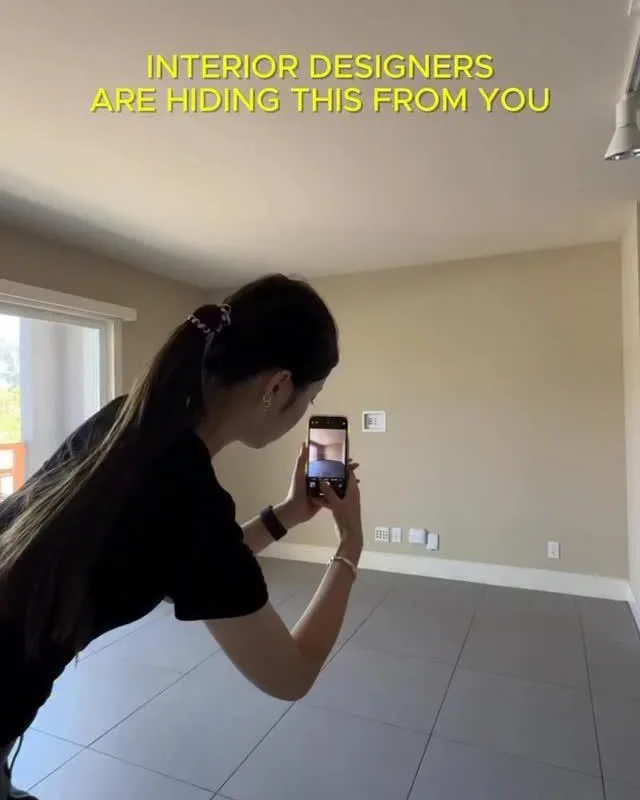
You don’t need a design degree, a contractor, or a small fortune to see what your room could become. All you need is a photo, a curious mind, and a browser tab. That’s the whole secret behind the trick you clicked on: snap your space, upload it, and watch a plain living room bloom into something you’d actually want to live in.
Advertisements1
I once spent three weeks agonizing over whether a mustard sofa would ruin my apartment. Three weeks! Then I uploaded one photo and had my answer in ninety seconds. That’s the magic of visualization tools — they turn “what if” into “oh, I can see it now.”
Below are 17 tools that let you reimagine a room before you spend a single dollar. Some are AI-powered, some are old-school 3D, and all of them are free or cheap enough to try this weekend.
Table of Contents(Click to Toggle)
Why Visualizing Your Room First Changes Everything
Here’s the thing about decorating: your brain is a terrible simulator. You can hold a paint swatch against a wall and still be blindsided when the whole room turns out too dark. You can measure a sofa twice and still watch it swallow your living room whole.
Visualization tools fix that gap between imagination and reality. They let you test bold choices — a deep green accent wall, a rug with a pattern loud enough to sing — without the commitment. Think of it like a rehearsal before the performance. The stakes are zero, so you can be brave.
And the best part? Most of these tools now run on AI that reads a single photo of your space and redraws it in seconds. No measuring tape, no floor plan skills, no tears in the furniture aisle.
Ready to see your room the way it deserves to be seen? Let’s go.
17 Room Visualization Tools to Try
1. Reaction.boimen.com : The photo-to-dream-room trick from the pin
What it is: A browser-based AI room visualizer that takes a single photo of your space and reimagines it in a new style.
Category: AI photo-to-design tool
Why it stands out:
- No app download or account wall — just upload and generate
- Works on phone photos, which is exactly how most people capture a room
- Great for testing a vibe before you commit to paint or furniture
Best for: Anyone who wants the fastest possible “what would this look like?” answer.
2. RoomGPT : Upload a photo, pick a theme, get a redesign
What it is: One of the original AI room redesign tools, built around a simple three-step flow.
Category: AI interior redesign
Why it stands out:
- Offers multiple style presets, from minimalist to cyberpunk
- Free tier gives you a few generations to experiment
- Keeps your room’s actual layout while swapping the look
Best for: Quick style mood-boarding when you can’t decide on a direction.
3. REimagine Home : AI that also suggests real furniture
What it is: An AI design platform that redesigns your room and then recommends products you can actually buy.
Category: AI design plus shopping
Why it stands out:
- Bridges the gap between inspiration and purchase
- Handles both interiors and exteriors
- Useful for rental-friendly tweaks that don’t require renovation
Best for: People who want the look and the shopping list.
4. Interior AI : Sketch-to-render for the impatient
What it is: A tool that transforms photos or rough sketches into polished interior renders.
Category: AI rendering
Why it stands out:
- Lets you start from a doodle if you don’t have a clean photo
- Fast turnaround — usually under a minute per render
- Popular with real estate agents staging empty listings
Best for: Sellers and renters who need a room to look furnished, fast.
5. Planner 5D : Full floor plans without the learning curve
What it is: A home design app that combines 2D floor planning with 3D walkthroughs.
Category: 3D home design
Why it stands out:
- Drag-and-drop interface that even non-designers grasp quickly
- Massive catalog of furniture and finishes
- Works in-browser and on mobile
Best for: Anyone planning a bigger change, like knocking down a wall or reworking a layout.
6. Homestyler : A community of rooms to borrow ideas from
What it is: A free design platform with 3D modeling plus a gallery of user-created rooms.
Category: 3D design community
Why it stands out:
- You can browse real designs for inspiration, not just generic stock photos
- Brand-name furniture models are available inside the planner
- Cloud-based, so your project follows you between devices
Best for: Visual learners who want to copy a proven layout and tweak it.
7. SketchUp Free : The classic 3D tool, now in your browser
What it is: A web version of the industry-standard 3D modeling software.
Category: Professional 3D modeling
Why it stands out:
- Precise measurements for people who care about exact dimensions
- Huge library of community-made furniture models
- Free tier runs entirely in the browser
Best for: DIYers tackling custom built-ins, shelving, or cabinetry.
8. IKEA Kreativ : See IKEA furniture in your actual room
What it is: IKEA’s AR-powered tool that scans your room and lets you drop in real products.
Category: Augmented reality room planner
Why it stands out:
- Uses your phone camera to place true-to-scale furniture
- Erases your existing furniture so you can start from a blank canvas
- Every item is shoppable immediately
Best for: Shoppers who want to avoid a return trip to the store.
9. Roomstyler : 3D planning with a built-in community
What it is: A free 3D room planner where users share and remix each other’s designs.
Category: 3D room planner
Why it stands out:
- You can start from someone else’s room and adjust it to your taste
- Realistic lighting simulation helps you judge mood
- No software installation required
Best for: Collaborative planning with a partner or roommate.
10. Floorplanner : Clean 2D plans that turn into 3D
What it is: A browser tool focused on accurate floor plans with 3D visualization.
Category: Floor planning
Why it stands out:
- Excellent for measuring awkward, non-rectangular rooms
- Export options for sharing plans with contractors
- Free plan covers a single project
Best for: Renovators who need to communicate a layout to a builder.
11. Coohom : Pro-grade renders on a free tier
What it is: A 3D design platform known for photorealistic rendering quality.
Category: 3D visualization
Why it stands out:
- Renders look almost like professional photography
- Large library of 3D models and materials
- Free plan is generous enough for personal projects
Best for: Content creators and bloggers who need shareable visuals.
12. Foyr Neo : Designer software, simplified
What it is: A cloud-based interior design tool aimed at both pros and serious hobbyists.
Category: Professional design software
Why it stands out:
- Fast rendering compared with traditional desktop software
- Style boards and mood boards built in
- Free trial lets you test before committing
Best for: Aspiring designers building a portfolio.
13. Spacely AI : Generate a room from a single sentence
What it is: An AI design generator that creates room concepts from text prompts and photos.
Category: AI concept generation
Why it stands out:
- You can describe a mood — “warm Scandinavian reading nook” — and see it
- Useful for exploring styles you’d never have considered
- Generates multiple variations at once
Best for: Dreamers who want to explore before narrowing down.
14. DecorMatters : Design, then shop from your phone
What it is: A mobile-first design app with AR placement and shoppable products.
Category: Mobile AR design
Why it stands out:
- Built for phones, so it fits how you actually browse
- AR mode shows furniture at real scale
- Community challenges keep ideas flowing
Best for: Impulse decorators who want to design on the couch.
15. Dreamhouse AI : Fast AI restyling for interiors and exteriors
What it is: An AI tool that restyles uploaded photos into new design themes.
Category: AI restyling
Why it stands out:
- Handles both indoor rooms and outdoor facades
- Simple enough for a first-timer to use in minutes
- Good for comparing several styles side by side
Best for: Homeowners weighing a curb-appeal refresh.
16. HomeByMe : Free 3D planning with a friendly interface
What it is: A 3D home design tool from Dassault Systèmes with a straightforward workflow.
Category: 3D home design
Why it stands out:
- Clean interface that doesn’t overwhelm beginners
- Realistic textures and lighting for believable previews
- Free for personal projects
Best for: First-time planners who want 3D without a steep curve.
17. Sweet Home 3D : Offline design that’s genuinely free
What it is: An open-source interior design app you install on your computer.
Category: Open-source desktop design
Why it stands out:
- Completely free with no account or subscription
- Works offline, which matters on flaky Wi-Fi
- Active community contributing furniture libraries
Best for: Privacy-minded users who prefer local software.
Bonus Mentions
Canva : Mood boards when you just need a collage
Not a 3D tool, but brilliant for pulling inspiration photos, paint swatches, and fabric samples into one shareable board. Great first step before you open any planner.
Pinterest : The world’s biggest free idea library
Search a room type plus a style and you’ll drown in references. Use it to build a visual vocabulary before you generate anything.
Coolors : Lock your palette before you commit
A palette generator that helps you test color combinations. Pair it with any of the tools above so your renders actually feel cohesive.
Remove.bg : Clean up photos before uploading
If your room photo has clutter or a distracting background, a quick cleanup can noticeably improve AI results.
Pexels : Free reference photos for style matching
When you need a reference image to describe a style, this free stock library is a solid starting point.
Your Room, Reimagined
Here’s what I love about this list: none of it requires permission. You don’t need a designer’s approval or a contractor’s quote to see what your space could be. You need a photo and ten curious minutes.
Start with the tool from the pin — upload one picture, pick a style, and let the surprise wash over you. Then, if a particular look grabs you, graduate to a planner like Planner 5D or Homestyler to map it out properly. The point isn’t perfection. It’s permission to play.
Write down what you notice as you generate. Which style made you lean in? Which one made you laugh? That reaction is data. Your room is telling you what it wants to become.
Which tool are you trying first — and what room in your home is begging for a makeover? Tell me in the comments; I read every one.
Write boldly, dream wildly.

Amara explores creative writing and storytelling, with a focus on finding your unique voice and building compelling narratives. She shares prompts and exercises to spark imagination, drawing on her love of folklore and modern fiction.


