

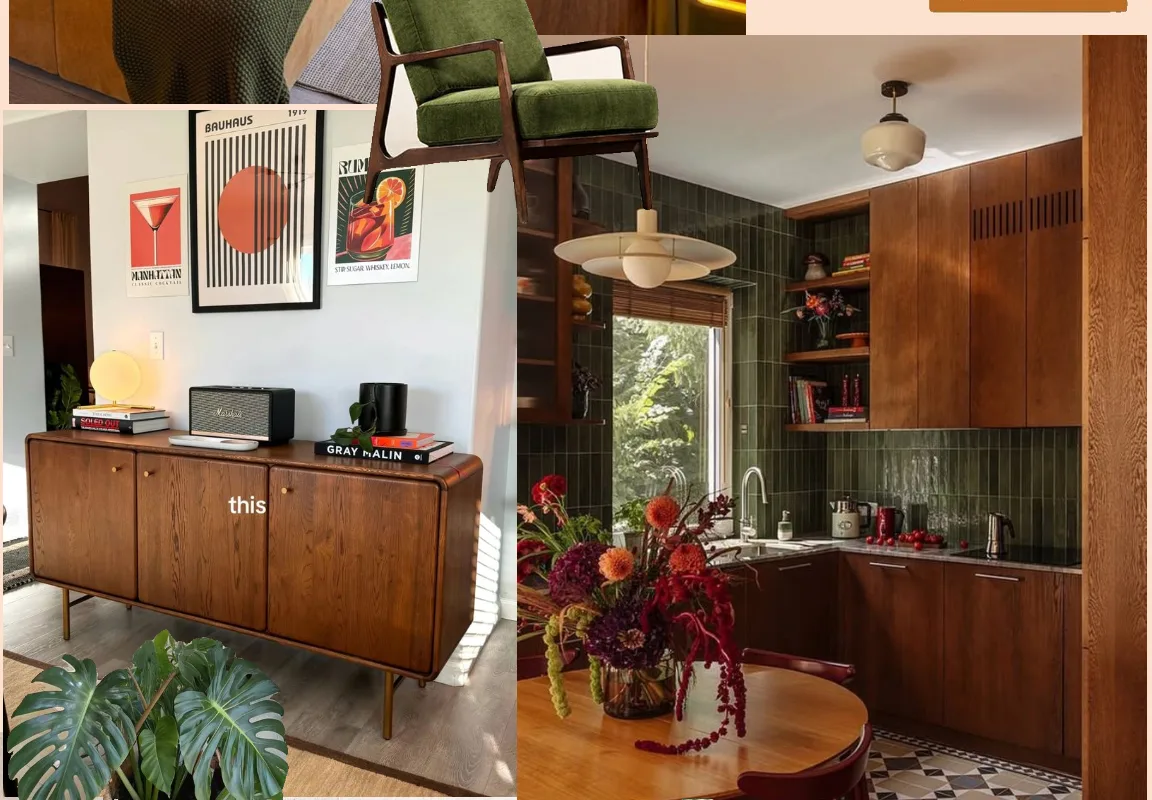
Have you ever felt a quiet tug to create something beautiful but weren’t sure where to begin? I remember sitting in my favorite corner café, a blank notebook in front of me, feeling both excited and stuck. That’s when I discovered the gentle power of moodboards. They’re like visual prayers—a way to gather inspiration before you even lift a brush or open a design file. Today, I’m sharing 17 moodboard tools that have brought me calm and clarity. Each one is a little sanctuary for your ideas. Let’s explore them together, slowly and curiously.
Advertisements1
Table of Contents(Click to Toggle)
Why Moodboards Matter for Your Creative Spirit
Moodboards are more than just pretty pictures. They’re a mindfulness practice—a way to tune into your senses and honor your creative impulses. When I started using moodboards, I noticed my anxiety around starting new projects softened. Instead of staring at a blank page, I had a visual map of where I wanted to go. It’s like setting an intention, but with colors and textures. Whether you’re a designer, a writer, or someone who just loves beauty, a moodboard can ground you. It asks: what do you truly want to feel? So, take a deep breath. As you scroll through these tools, notice which ones make you curious. That’s your intuition speaking.
17 Moodboard Tools to Spark Your Creative Flow
1. Milanote : Visual planning for creative minds
What it is: A digital canvas where you can collect images, notes, and links in a flexible board format.
Category: Visual organization
Why it stands out:
- Drag-and-drop interface that feels like arranging physical clippings
- Real-time collaboration for teams or clients
- Free plan allows unlimited boards with a 100-item limit
Best for: Creatives who want a Pinterest-like experience with more structure and note-taking.
2. Pinterest : The classic inspiration engine
What it is: A visual discovery platform where you save images (“pins”) to themed boards.
Category: Social bookmarking
Why it stands out:
- Endless stream of ideas from millions of users
- Secret boards for private moodboarding
- Browser extension for saving images from anywhere
Best for: Anyone seeking broad inspiration across fashion, home, art, and more.
3. Canva : Design made simple
What it is: A graphic design tool with templates for moodboards, presentations, and social media.
Category: Graphic design
Why it stands out:
- Hundreds of free moodboard templates
- Drag-and-drop editor with stock photos and elements
- Export as PDF, PNG, or shareable link
Best for: Beginners who want a polished moodboard without design skills.
4. Adobe Express : Quick and creative
What it is: Adobe’s simplified design tool with moodboard templates and Adobe Fonts.
Category: Graphic design
Why it stands out:
- Integration with Adobe Stock and Creative Cloud
- Free plan includes basic templates and assets
- Easy resizing for different formats
Best for: Adobe users who want a lightweight, browser-based option.
5. Figma : Collaborative design canvas
What it is: A vector-based design tool that supports real-time collaboration and prototyping.
Category: UI/UX design
Why it stands out:
- Infinite canvas with frames and components
- Free for individuals with unlimited files
- Plugins for unsplash, icons, and more
Best for: Designers who want to create moodboards alongside UI mockups.
6. Miro : Whiteboard for visual thinking
What it is: An online whiteboard with sticky notes, shapes, and templates for brainstorming.
Category: Collaboration
Why it stands out:
- Moodboard template with pre-made frames
- Real-time collaboration with cursor tracking
- Free plan allows up to 3 editable boards
Best for: Teams and workshops that need to brainstorm visually.
7. Niice : Curated inspiration boards
What it is: A moodboard tool that lets you pull images from various sources and organize them.
Category: Visual organization
Why it stands out:
- Integrates with Dropbox, Google Drive, and Adobe Creative Cloud
- Private and public boards
- Free plan with unlimited boards and 3 collaborators
Best for: Designers who need to share moodboards with clients.
8. Dribbble : Showcase for designers
What it is: A community where designers share their work, often used for inspiration.
Category: Community
Why it stands out:
- High-quality, professional design shots
- Ability to save shots to collections (like boards)
- Job board and networking opportunities
Best for: Designers seeking polished, industry-level inspiration.
9. Behance : Portfolio platform for creatives
What it is: Adobe’s platform for showcasing creative work, from graphic design to photography.
Category: Community
Why it stands out:
- Curated galleries by category
- Ability to save projects to moodboards
- Live streams and tutorials
Best for: Creatives who want to see full projects, not just single images.
10. Savee : Visual bookmarking for creatives
What it is: A sleek platform to save and organize images from around the web.
Category: Visual bookmarking
Why it stands out:
- Browser extension for quick saving
- Minimal, ad-free interface
- Free plan with unlimited saves
Best for: Designers who want a distraction-free inspiration library.
11. Are.na : A quiet place to think
What it is: A platform for saving content into “channels” that can be public or private.
Category: Knowledge organization
Why it stands out:
- Focus on ideas, not likes or followers
- Supports images, text, links, and files
- Free plan with unlimited channels
Best for: Thinkers and researchers who want a contemplative moodboard.
12. Cosmos : Visual discovery for the curious
What it is: A platform that uses AI to help you discover and save visual inspiration.
Category: Visual discovery
Why it stands out:
- Personalized recommendations based on your saves
- Clean, modern interface
- Free to use with no ads
Best for: Those who want a Pinterest alternative with a more curated feel.
13. Moodboard by SampleBoard : For interior designers
What it is: A tool specifically for creating interior design moodboards with product samples.
Category: Interior design
Why it stands out:
- Database of furniture, materials, and colors
- Drag-and-drop editor with realistic renderings
- Free trial available
Best for: Interior designers and home decorators.
14. GoMoodboard : Simple and free
What it is: A no-frills online moodboard maker with a straightforward interface.
Category: Graphic design
Why it stands out:
- Completely free with no sign-up required
- Upload images or use URLs
- Export as PNG
Best for: Quick, one-off moodboards without creating an account.
15. Evernote : Note-taking with visual flair
What it is: A note-taking app that supports images, web clippings, and notebooks.
Category: Productivity
Why it stands out:
- Web clipper for saving images and articles
- Notebooks can serve as moodboards
- Free plan with 60 MB monthly upload
Best for: Writers and researchers who want to combine notes and visuals.
16. Notion : All-in-one workspace
What it is: A flexible tool for notes, databases, and wikis, with support for images and embeds.
Category: Productivity
Why it stands out:
- Gallery view to display images like a moodboard
- Embed from Figma, Pinterest, and more
- Free for personal use
Best for: Those who want to integrate moodboarding into their project management.
17. Trello : Kanban boards for visual thinkers
What it is: A project management tool using boards, lists, and cards.
Category: Productivity
Why it stands out:
- Attach images to cards for visual reference
- Drag-and-drop organization
- Free plan with unlimited boards
Best for: Creatives who want to organize inspiration alongside tasks.
Bonus: PureRef : A lightweight image viewer for reference
What it is: A desktop app that lets you arrange reference images on a canvas.
Category: Desktop utility
Why it stands out:
- Always-on-top window for easy reference while working
- Free (donationware)
- Supports drag-and-drop from browsers
Best for: Artists and designers who need quick visual reference.
Bonus: Kuadro : Moodboards for interior design
What it is: A web app for creating interior design moodboards with product links.
Category: Interior design
Why it stands out:
- Add products from any website
- Collaborate with clients
- Free plan available
Best for: Interior designers and home stagers.
Bonus: Eagle : Organize your visual assets
What it is: A desktop app for organizing images, screenshots, and design files.
Category: Asset management
Why it stands out:
- Tag, rate, and filter images
- Browser extension for saving images
- One-time purchase
Best for: Designers with large image libraries.
Bonus: Raindrop.io : Bookmark manager with visual previews
What it is: A bookmarking tool that saves links with thumbnails and descriptions.
Category: Bookmarking
Why it stands out:
- Masonry grid view for visual browsing
- Collections and tags
- Free plan with unlimited bookmarks
Best for: Those who want to save web inspiration alongside articles.
Bonus: Google Keep : Quick notes with images
What it is: A note-taking service with checklists, images, and voice notes.
Category: Productivity
Why it stands out:
- Color-coded notes for visual organization
- Grab images from web
- Free with Google account
Best for: Quick, on-the-go moodboarding.
The Gentle Art of Gathering Inspiration
As we wrap up this list, I hope you feel a sense of possibility. Moodboarding isn’t about perfection—it’s about listening to your inner voice and giving it a visual language. Start small. Pick one tool that resonated with you and spend ten minutes collecting a few images that make you feel something. Notice how it shifts your energy. Remember, creativity is a practice, not a race. Which tool are you excited to try first? Share your own favorite moodboard gems in the comments—I’d love to discover them with you.
With kindness, Sofia

Sofia writes about mindful living and personal wellness, exploring habits that nurture mental and physical health. She shares gentle, realistic suggestions for creating calm in a busy world.


