

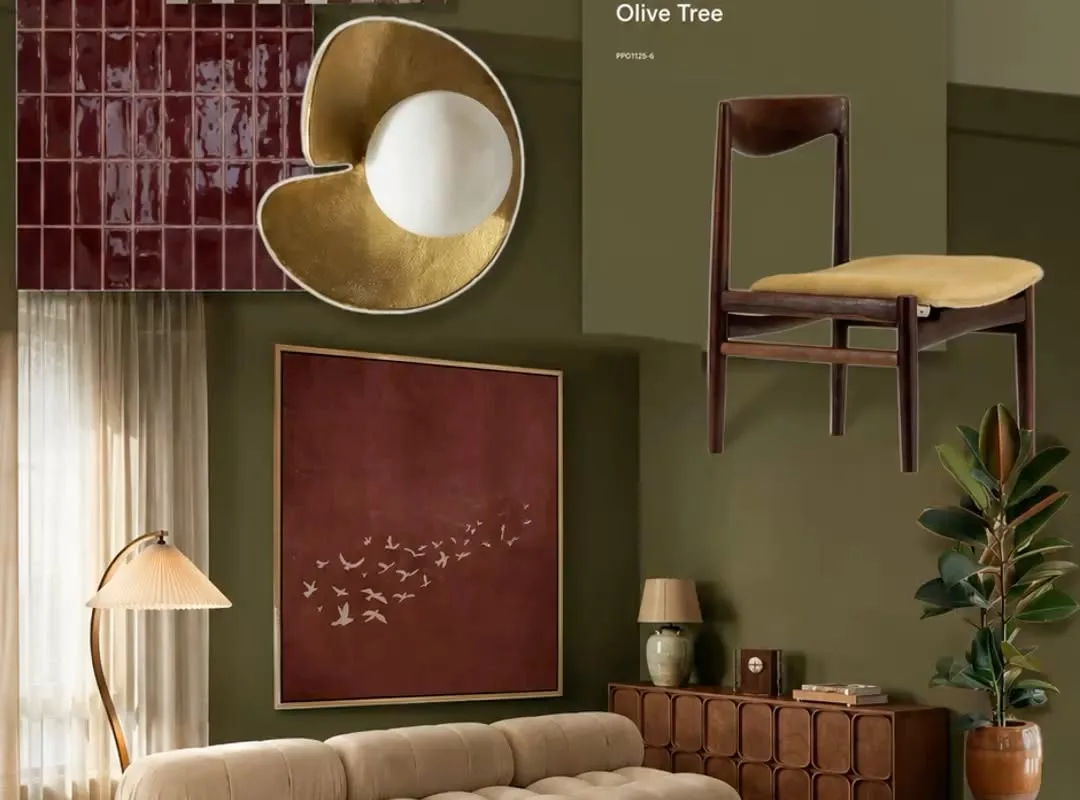
A moodboard without a fixed palette is just a folder of pretty pictures. Green, beige, and red is one of the trickiest trios to balance — get the ratios wrong and you land on Christmas, get them right and you get something that looks like a Tuscan courtyard in late September. The difference is not taste. It is tooling.
Advertisements1
Most people build palettes in whatever app is already open, then wonder why the result feels muddy. The fix is boring: use a tool that locks your three anchors first, then forces every extra color to justify itself. Below are 18 sites and apps that do exactly that, plus a few extras worth bookmarking.
Table of Contents(Click to Toggle)
- Why a Locked Green/Beige/Red Palette Beats Guesswork
- 1. Coolors
- 2. Adobe Color
- 3. Paletton
- 4. Colormind
- 5. Khroma
- 6. Color Hunt
- 7. Happy Hues
- 8. ColorSpace
- 9. Canva Color Palette Generator
- 10. Huemint
- 11. Muzli Colors
- 12. ColorDrop
- 13. Colorkit
- 14. Pigment by ShapeFactory
- 15. Colorsinspo
- 16. Realtime Colors
- 17. Color Lisa
- 18. Picular
- Bonus: Coolors Contrast Checker
- Bonus: Image Color Picker
- Bonus: Colorable
- Bonus: Khroma AI Trainer
- The Quiet Advantage of a Locked Palette
Why a Locked Green/Beige/Red Palette Beats Guesswork
Here is the uncomfortable truth about moodboards: the images are not the moodboard. The palette is. A green/beige/red board works because those three colors create a specific tension — green reads as organic and calm, beige reads as neutral and warm, red reads as accent and urgency. When you let a tool pick all three for you, you usually get a palette that is technically harmonious and emotionally flat.
Think of it like a band. Green is the bass, beige is the rhythm guitar, red is the lead. You do not want a generator deciding your lead player. You want to lock the bass and rhythm, then let the tool suggest leads that actually fit the key.
The tools below split into two camps: generators that suggest palettes from a seed color, and editors that let you lock anchors and force the rest to comply. For a green/beige/red board specifically, you want the second camp. Start with a muted sage or olive green, add a warm sand beige, then use a brick or oxblood red — not a fire-engine red. If a tool cannot lock colors, it is not a moodboard tool, it is a slot machine.
One more thing before the list: save your hex codes as text, not just images. Half the tools here will not export cleanly, and you will want the codes when you move into Figma, Canva, or an actual paint store.
1. Coolors : The fastest palette generator with a lock feature that actually works
What it is: A browser-based palette generator that spits out five colors at a time with a single spacebar press.
Category: Generator / editor
Why it stands out:
- You can lock individual swatches, so a sage green and a warm beige stay put while the tool rotates red options.
- The “Explore” tab has thousands of user palettes, and searching “beige” surfaces real-world combinations you would not think of.
- Export options include PNG, SVG, and a plain text list — useful when you need codes for a client deck.
Best for: Anyone who wants a working palette in under two minutes without signing up.
2. Adobe Color : Color wheel math done properly
What it is: Adobe’s free color wheel tool with harmony rules like analogous, triad, and split-complementary.
Category: Editor
Why it stands out:
- The wheel forces you to think in relationships, not isolated swatches — which is exactly what a green/beige/red board needs.
- Accessibility tools check contrast ratios against WCAG, so your red accent stays readable on a beige background.
- Palettes save straight into Creative Cloud libraries if you already pay for Adobe.
Best for: Designers who need documented contrast ratios for client work.
3. Paletton : The old-school wheel that still beats most modern tools
What it is: A classic color scheme designer built around a draggable wheel with adjustable saturation and brightness.
Category: Editor
Why it stands out:
- The interface looks dated, and that is the point — no onboarding, no upsell, just a wheel.
- You can preview your palette applied to a sample webpage layout before you commit.
- Adjusting the “variation” slider gives you lighter and darker versions of each color, which is how you build a beige that does not look like dirty white.
Best for: People who want to understand why a palette works, not just copy one.
4. Colormind : AI palettes trained on real design work
What it is: A deep-learning palette generator that suggests colors based on patterns from photos and design portfolios.
Category: Generator
Why it stands out:
- You can lock the first three swatches to your green, beige, and red, then let the model fill the remaining two.
- It accepts image uploads and extracts a palette from a single photo — handy when your moodboard starts from one reference shot.
- Results tend to be more muted and editorial than pure math generators.
Best for: Getting a fifth and sixth color that feels intentional rather than random.
5. Khroma : A palette tool that learns your taste
What it is: An AI color tool that you train by picking colors you like, then generates infinite palettes from that profile.
Category: Generator
Why it stands out:
- The training step takes about five minutes and permanently biases the output toward your preferences.
- You can filter generated palettes by hue, so you can ask for “green-dominant” combinations specifically.
- It works offline after the initial load, which matters if you work on a plane.
Best for: People who keep getting palettes that are technically fine but feel wrong.
6. Color Hunt : A curated feed of four-color palettes
What it is: A simple gallery of hand-picked four-color palettes, updated daily.
Category: Inspiration gallery
Why it stands out:
- Every palette is exactly four colors, which forces restraint — perfect for a green/beige/red board with one accent.
- You can sort by popularity or newest, and the “warm” tag surfaces beige-heavy combinations.
- Copying a hex code takes one click, no account needed.
Best for: Quick inspiration when you are stuck on the exact shade of beige.
7. Happy Hues : Palettes shown in real UI context
What it is: A palette site that previews each scheme inside a mock website interface.
Category: Inspiration gallery
Why it stands out:
- Seeing a beige background with green buttons and red links in context tells you instantly whether the contrast works.
- Each palette lists the exact role for every color — background, text, accent, button.
- It is genuinely useful for web projects, not just physical moodboards.
Best for: Web designers who need to see the palette in a layout before committing.
8. ColorSpace : One color in, full gradient palettes out
What it is: Enter a single color and get dozens of matching palettes and CSS gradients.
Category: Generator
Why it stands out:
- Feed it your sage green and it returns palettes that already include beige and red families.
- The gradient generator outputs copy-paste CSS, which saves time if you are building a site.
- No account, no ads, no email gate.
Best for: Building a gradient from green to beige without muddy transitions.
9. Canva Color Palette Generator : Pull a palette from any photo
What it is: Upload an image and Canva extracts a matching color palette.
Category: Extractor
Why it stands out:
- If your moodboard starts with a photo of a Tuscan wall or a forest floor, this pulls the exact greens, beiges, and reds from it.
- The palette saves directly into Canva for immediate use in a board or presentation.
- Works on mobile, which most extractors do not.
Best for: Turning a single reference photo into a full working palette.
10. Huemint : Palettes optimized for brand and UI contrast
What it is: A machine-learning color tool that generates palettes tuned for specific use cases like branding or web UI.
Category: Generator
Why it stands out:
- You pick the context — brand, illustration, or website — and the model adjusts contrast accordingly.
- It shows your palette applied to a real mock brand mark, so you see it in use.
- Locking individual colors is supported, which keeps your green and beige anchored.
Best for: Brand moodboards where the palette has to survive on a logo.
11. Muzli Colors : Fast palette browsing with instant preview
What it is: A lightweight palette browser with a live UI preview panel.
Category: Inspiration gallery
Why it stands out:
- Press spacebar to shuffle palettes, and the preview updates instantly.
- You can paste a hex code and it generates a full scheme around it.
- It loads fast on slow connections, unlike heavier design tools.
Best for: Browsing hundreds of palettes in a few minutes to find a beige that is not boring.
12. ColorDrop : Four-color palettes, zero clutter
What it is: A minimal gallery of four-color palettes with one-click copy.
Category: Inspiration gallery
Why it stands out:
- No accounts, no ads, no popups — just palettes and hex codes.
- The four-color limit keeps you honest about accent ratios.
- Palettes are tagged, so you can filter for earthy and warm tones.
Best for: Grabbing a palette in ten seconds and moving on.
13. Colorkit : Gradients and palettes in one place
What it is: A color toolkit with palette generators, gradient makers, and a shade/tint builder.
Category: Editor
Why it stands out:
- The shade and tint tool is the fastest way to build a full beige scale from one base color.
- Gradient presets are copy-paste ready for CSS.
- Everything runs in the browser with no login.
Best for: Building a complete tint scale for a green or beige base.
14. Pigment by ShapeFactory : Palettes that shift with the light
What it is: A palette generator where you adjust a light angle and temperature to see colors change.
Category: Editor
Why it stands out:
- It simulates how a palette looks under warm or cool light — critical when your beige has to work in a real room.
- The interface is beautiful enough to use as a moodboard itself.
- You can lock a base color and explore variations.
Best for: Interior moodboards where lighting changes everything.
15. Colorsinspo : A deep library of named palettes
What it is: A large archive of palettes organized by mood, season, and theme.
Category: Inspiration gallery
Why it stands out:
- The “autumn” and “earth” categories are goldmines for green/beige/red combinations.
- Each palette includes hex codes and a downloadable image.
- Search works by color name, so you can look up “terracotta” directly.
Best for: Finding a named red that pairs with olive green without clashing.
16. Realtime Colors : See your palette on a real website instantly
What it is: A tool that applies your palette to a realistic website mockup in real time.
Category: Editor
Why it stands out:
- You type hex codes and watch text, buttons, and backgrounds update instantly.
- It flags contrast problems before you export anything.
- You can switch between light and dark previews with one toggle.
Best for: Testing whether your beige background actually works with dark green text.
17. Color Lisa : Palettes pulled from famous artworks
What it is: A curated collection of palettes extracted from master paintings.
Category: Inspiration gallery
Why it stands out:
- Renaissance and landscape paintings are full of muted greens, warm beiges, and deep reds — exactly your palette.
- Each palette links back to the artwork, which gives your moodboard a story.
- Small collection, high hit rate.
Best for: Adding art-historical credibility to a moodboard presentation.
18. Picular : Search colors by word
What it is: A color search engine — type a word and get colors associated with it.
Category: Generator
Why it stands out:
- Type “forest” or “clay” and get real color results, not dictionary definitions.
- Useful for naming colors in a brand guide when “#8A9A5B” is not descriptive enough.
- Results are image-derived, so they feel grounded rather than synthetic.
Best for: Finding the exact red that matches the word in your head.
Bonus: Coolors Contrast Checker
Paste two hex codes and get a WCAG contrast score instantly. Essential if your red accent sits on a beige background and you need it readable.
Bonus: Image Color Picker
Upload any image and click to grab the exact hex code of a single pixel. The fastest way to pull a specific shade from a photo reference without generating a whole palette.
Bonus: Colorable
A contrast checker built specifically for UI text and backgrounds. Less pretty than others, more honest about what fails accessibility standards.
Bonus: Khroma AI Trainer
The training interface behind Khroma, worth bookmarking separately. Ten minutes of picking colors here improves every palette you generate afterward.
The Quiet Advantage of a Locked Palette
Here is what most people get wrong about moodboards: they treat color as decoration. It is not. It is structure. A green/beige/red board works because the ratios are deliberate — roughly 60% beige as the field, 30% green as the structure, 10% red as the signal. Tools that let you lock anchors enforce that ratio. Tools that generate five random colors do not.
My advice after testing all of these: pick one editor (Coolors or Adobe Color), one extractor (Canva or Image Color Picker), and one contrast checker. Three tools, saved as bookmarks, covers 95% of what a moodboard actually needs. The rest of this list is for when you want to explore, not when you want to finish.
And ignore any tool that markets “AI-powered color intelligence” without letting you lock a swatch. That is not intelligence, that is a slot machine with better branding.
Which tool from this list ended up in your bookmarks — and did it survive a real project, or just look good in the demo?
Stay sharp, stay private.

Lucas covers technology and digital privacy, explaining complex topics in plain language for non-techies. He focuses on how everyday people can protect their data without being paranoid.


