

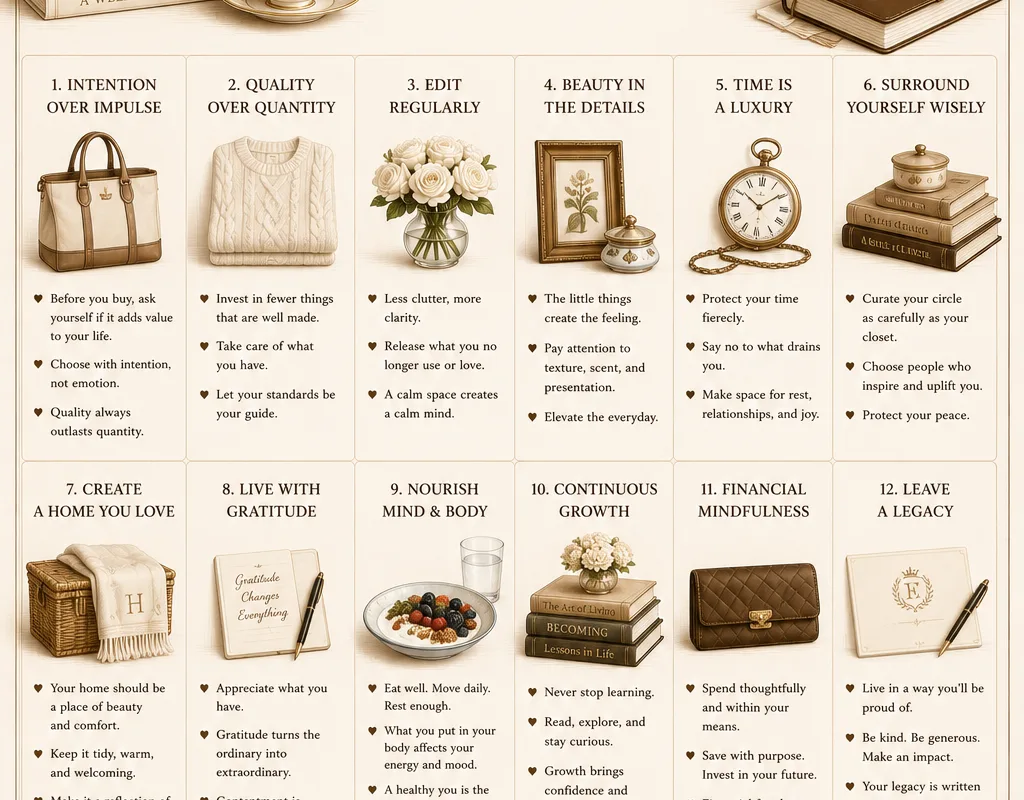
You know that feeling when you open someone’s fridge and every jar is neatly labeled, the shelves are spotless, and somehow there’s a bowl of perfect lemons sitting there like a still life? Meanwhile, your own fridge has a mystery tupperware from three weeks ago and a mustard bottle with crusty edges. That gap — between the life you scroll past and the life you actually live — is exactly what curated living is about. It is not about spending more. It is about editing.
Advertisements1
I spent the last few months testing tools that help you curate your home, your digital space, your wardrobe, and your daily routines. Some are tiny apps. Some are design resources. A few are just clever websites that make ordinary decisions feel intentional. Here is what actually stuck.
Table of Contents(Click to Toggle)
Why Curated Living Is a Skill, Not a Budget
Here is the thing nobody tells you: curation is subtraction. It is deciding what does not belong. A curated bookshelf is not the one with the most books — it is the one where every spine was chosen on purpose. The same goes for your phone’s home screen, your closet, your kitchen counter, your saved links.
Most of us accumulate by default. We save things we never revisit. We buy the thing because it was on sale. We keep the app because deleting feels like admitting defeat. That is not a character flaw. It is just the path of least resistance, and the internet is built to encourage it.
The tools below push back. Some help you collect with intention. Some help you see what you already own. A few help you decide what to let go. None of them require a bigger budget — just a slightly more deliberate hand. Think of them as the editing software for your everyday life.
The Tools
1. Notion : The all-in-one canvas for a curated life
What it is: A flexible workspace where you can build databases, mood boards, reading lists, and home inventories in one place.
Category: Productivity and organization
Why it stands out:
- You can build a single “Life Dashboard” that links your wardrobe inventory, book wishlist, and weekly meal plan.
- Gallery views turn any database into a visual mood board, which is perfect for curating a home aesthetic.
- The free plan is genuinely usable for personal curation — no credit card needed.
Best for: People who want one hub instead of ten scattered apps.
2. Are.na : A calm, ad-free space for collecting ideas
What it is: A minimalist platform for saving images, links, and text into themed “channels.”
Category: Visual research and inspiration
Why it stands out:
- No algorithm, no likes, no notifications — it is the anti-social social network.
- Channels can be public or private, and you can collaborate with a partner on a shared home renovation board.
- The typography and layout feel like a design studio’s internal tool, which quietly raises the bar for your own taste.
Best for: Designers, writers, and anyone tired of doomscrolling.
3. Pinterest : Still the best visual search engine for home and style
What it is: The classic pinboard platform, now heavily driven by visual search and shopping.
Category: Inspiration and discovery
Why it stands out:
- The “More like this” and visual search tools let you upload a photo of your own room and find matching pieces.
- Board sections keep a single board from turning into chaos — one board for “Kitchen,” with sections for “Lighting” and “Tile.”
- The main limitation is the ad load and the endless feed, so set a timer before you open it.
Best for: Anyone planning a room, a wardrobe, or a wedding on a budget.
4. Cosmos : A visual discovery feed with taste
What it is: A newer visual platform that blends mood boarding with a curated discovery feed.
Category: Visual inspiration
Why it stands out:
- The feed skews toward art direction, interiors, and fashion rather than generic lifestyle content.
- You can create clusters of images that feel like a physical mood board, then share them as a single link.
- It is still small enough that your feed does not feel like everyone else’s.
Best for: People who want inspiration without the algorithm whiplash.
5. Savee : A bookmarking tool built for creatives
What it is: A visual bookmarking site used heavily by photographers, stylists, and art directors.
Category: Visual bookmarking
Why it stands out:
- You can save images from any site with a browser extension, and the grid stays clean and fast.
- It supports video and GIF saves, which matters if you collect motion references.
- The free tier limits uploads, but the paid plan is one of the cheaper creative tools out there.
Best for: Creatives building a personal reference library.
6. Milanote : A mood board that thinks like a whiteboard
What it is: A visual planning tool where you arrange notes, images, and links on an infinite canvas.
Category: Project planning and mood boarding
Why it stands out:
- You can drag in a paint color, a fabric swatch, and a budget note, then connect them with arrows.
- It is excellent for planning a single room or a whole move, because everything lives in one view.
- The free plan caps you at 100 items, which is actually a useful constraint for staying focused.
Best for: Renovators and event planners who think spatially.
7. MyMind : A private, searchable memory for everything you save
What it is: A visual bookmarking app that automatically tags and organizes what you save.
Category: Personal knowledge management
Why it stands out:
- It uses on-device text recognition, so you can search for words inside saved images without manual tagging.
- Everything is private by default — no social layer, no public profiles.
- It is a paid tool with no free tier, which is worth knowing before you commit.
Best for: People who save a lot and want it to stay personal.
8. Raindrop.io : The bookmark manager your browser wishes it had
What it is: A cross-platform bookmarking tool with collections, tags, and full-text search.
Category: Bookmarking and research
Why it stands out:
- It saves the actual page content, so dead links still show a preview.
- Collections can be nested, which is how you keep “Recipes” from swallowing “Recipes / Weeknight.”
- The free plan covers most personal use, and the browser extension is genuinely fast.
Best for: Anyone whose bookmarks bar has become a graveyard.
9. Pinterest Predicts : A free trend report for planning ahead
What it is: Pinterest’s annual trend forecast, published as a browsable report.
Category: Trend research
Why it stands out:
- It highlights emerging aesthetics months before they hit mainstream retail.
- Each trend comes with search data, which helps you judge whether it is a flash or a slow burn.
- It is free and updated yearly, making it a low-effort way to keep your home or wardrobe current without chasing every fad.
Best for: People who want to buy once and buy well.
10. Stylebook : A closet inventory app that ends “I have nothing to wear”
What it is: An app for cataloging your clothes, building outfits, and tracking cost-per-wear.
Category: Wardrobe management
Why it stands out:
- You photograph each item once, then the app suggests outfits and logs how often you wear them.
- The cost-per-wear stat is quietly brutal — it shows which purchases were mistakes.
- It is a one-time purchase with no subscription, which is rare in this category.
Best for: Anyone trying to shop less and wear more.
11. Whering : A free digital wardrobe with a styling community
What it is: A free app that digitizes your closet and lets you plan outfits on a calendar.
Category: Wardrobe management
Why it stands out:
- The auto-background-removal on photos makes cataloging fast, even for a 200-item closet.
- You can build a packing list for a trip and see every outfit combination before you zip the suitcase.
- The community layer is optional, so you can keep your wardrobe private if you prefer.
Best for: Frequent travelers and outfit planners.
12. Good On You : Ethical ratings for the brands you already own
What it is: A database that rates fashion brands on labor, animal, and environmental impact.
Category: Conscious shopping
Why it stands out:
- You can search a brand before you buy and see a simple 1–5 rating with the reasoning behind it.
- It suggests better-rated alternatives in the same style and price range.
- Ratings are based on public data, so treat them as a starting point rather than a final verdict.
Best for: Shoppers who want their closet to match their values.
13. Papier : Stationery that makes daily rituals feel intentional
What it is: A stationery brand offering personalized notebooks, planners, and journals.
Category: Stationery and journaling
Why it stands out:
- You can customize covers with your own text, which turns a plain notebook into a named project.
- The paper quality holds up to fountain pens, which matters if you journal seriously.
- It is a physical product, so shipping times and cost apply — worth checking before a deadline.
Best for: People who think better with a pen in hand.
14. Easlo : Ready-made Notion templates for a curated life
What it is: A creator shop selling polished Notion templates for planning, habits, and home management.
Category: Templates and systems
Why it stands out:
- The templates are genuinely well-designed, with linked databases rather than static pages.
- A single purchase can replace hours of building your own dashboard from scratch.
- Some templates are free, so you can test the style before buying.
Best for: Notion users who want a head start.
15. A Soft Murmur : Ambient sound for a calmer room
What it is: A free web app that mixes ambient sounds like rain, wind, and distant thunder.
Category: Atmosphere and focus
Why it stands out:
- You can layer sounds and set a timer, which makes it useful for deep work or winding down.
- It runs in the browser with no account and no download.
- It will not fix a noisy neighbor, but it does soften a room’s edges.
Best for: Anyone who wants their space to feel calmer without buying anything.
Bonus Mentions
Design Seeds : Color palettes pulled from real photos
A simple site that turns photographs into usable color palettes. Useful when you are choosing paint, bedding, or a website theme and want a starting point that already works together.
Coolors : A fast palette generator
Generate, save, and export color schemes in seconds. The contrast checker is a small but genuinely helpful feature if you care about accessibility.
Apartment Therapy : Home tours that show real, lived-in spaces
Less glossy than most interiors media, with house tours that show how actual people solve small-space problems on real budgets.
The Sill : A plant shop with care guidance built in
Every plant listing includes light and water needs, which lowers the odds of bringing home something you cannot keep alive.
Remodelista : A sourcebook for considered interiors
Deep dives on materials, fixtures, and finishes. Best for slow research before a renovation rather than quick inspiration.
The Quiet Art of Editing
None of these tools will hand you a curated life. They just make the editing easier. The real work is the same as it has always been: decide what stays, decide what goes, and repeat. That is it. That is the whole trick.
Start with one area. Your saved links, your closet, your kitchen counter — pick whichever one is currently bothering you most. Spend twenty minutes there. Then leave it alone. Curated living is not a weekend overhaul. It is a habit of small, deliberate choices, and it compounds faster than you would expect.
One warning from experience: it is easy to turn curation into another form of consumption. Buying the perfect label maker, downloading the perfect app, redesigning the perfect system. That is not editing. That is shopping with extra steps. If a tool is not saving you time or reducing decisions, it is just more clutter with a nicer interface.
Stay safe out there, Liam
Which of these tools surprised you most — and what is your own underrated find for keeping life a little more intentional?

Liam covers technology and digital privacy, with a focus on helping everyday people protect their data online. He breaks down complex tech concepts into easy-to-understand advice and reviews privacy tools from a user’s perspective.


