

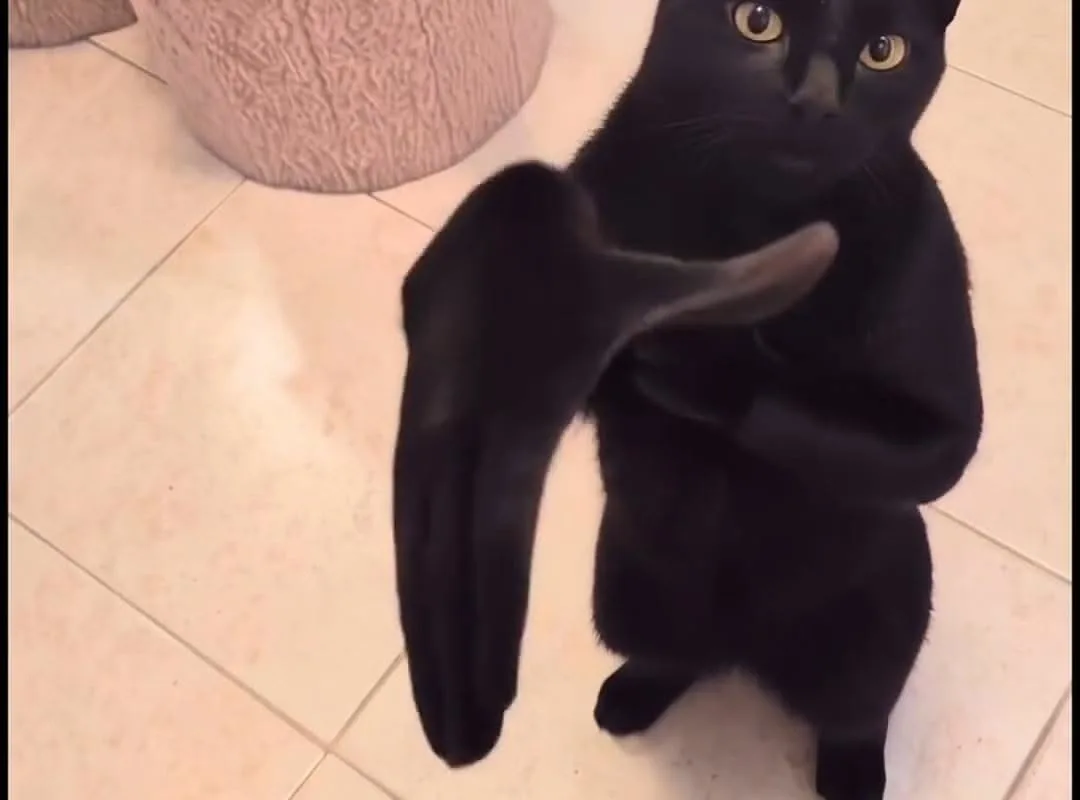
Most clapping cat green screen clips fail for one boring reason: the cat's white paws and fur edges pick up a green halo the moment you key them out. Here is the quick win first — drop the clip onto a solid mid-tone background before you touch any keying slider, and you'll immediately see whether the source footage is even usable.
Advertisements1
- Judge the source clip first: green values varying more than 15 RGB points across the frame mean the footage is unusable, regardless of your keyer.
- Key the flat green fully, then despill the fur — edge softness is the wrong tool for halo problems.
- A feathered shadow beneath the cat sells the composite better than any edge refinement.
- Keep the cat at 40–55% of frame height on vertical video; larger scales expose source compression artifacts.
- Export at 10–16 Mbps for 1080p vertical so platform re-encoding doesn't reintroduce green fringing.
Start by judging the source clip, not your editing skills
Before you open a keyer, scrub the clapping cat clip frame by frame at 100% zoom. Good green screen cat footage has three traits: a matte green backdrop with no wrinkles or hot spots, fur edges that stay crisp against the green, and paws that don't blur into the background during the clap. If the backdrop has visible folds or a gradient from a lamp, no amount of keying will save it cleanly.
A practical test: sample the green with an eyedropper in three corners and the center. If the RGB values vary by more than about 15 points on any channel, the lighting is uneven and you should look for a different source clip. This one check saves the twenty minutes people usually waste fighting a bad key.
Also check the frame rate. Many meme clips circulating on Pinterest and repost accounts are 24 or 25 fps conversions of 30 fps originals, which produces duplicated frames and a slightly stuttery clap. For a two-second loop it rarely matters, but if you're placing the cat over a 60 fps background, the mismatch will read as janky.
Key the green, then fix the fur — in that order
The mistake beginners make is trying to perfect the edge before the core key is solid. Set your keyer's tolerance so the flat green disappears completely, then use a garbage matte to crop out anything outside the cat's silhouette. Only after that should you touch edge refinement.
For the fur halo, the most reliable fix is a light spill suppression pass rather than cranking the edge softness. In apps like DaVinci Resolve, the 3D Keyer's 'Despill' control handles this; in CapCut, the 'Edge Feather' plus a small 'Decontaminate' adjustment does the same job. Aim for an edge that looks slightly hard at 200% zoom — it will read as natural at normal viewing size.
– DaVinci Resolve (free tier): 3D Keyer plus Delta Keyer for stubborn edges, best control, steeper learning curve
– CapCut: one-slider chroma key, fine for 1080p social clips, weak on fine fur detail
– Premiere Pro: Ultra Key is fast and forgiving, but watch the 'Pedestal' value or the paws go translucent
– Final Cut Pro: Keyer plus Light Wrap gives the most natural integration over bright backgrounds
Whichever tool you use, render a single still frame and look at it on your phone before committing. Small screens hide edge problems that a 27-inch monitor exaggerates.
Match the cat to your background, not the other way around
The clapping cat works because the clap lands on a beat. If you're cutting it to music, place the first clap frame on the downbeat and trim the clip so the loop point falls between claps, not mid-motion. A two-frame overlap on the loop usually hides the seam.
Scale matters more than people expect. At 1080×1920 vertical, the cat should occupy roughly 40 to 55 percent of the frame height to feel like a reaction rather than a wallpaper. Scale it up past 70 percent and the keyed edges start to show compression artifacts from the source.
Color matching is the other half. Sample your background's dominant color and add a subtle grade to the cat — a touch of warmth or a slight lift in the shadows — so it doesn't look pasted on. A 5 to 10 percent shadow beneath the cat, feathered, does more for realism than any edge tool.
Export settings that protect the key
Keyed footage is unforgiving of heavy compression. Exporting a green screen composite at a low bitrate reintroduces green fringing around the fur that you just spent time removing. For 1080p vertical, target 10 to 16 Mbps; for 4K, 35 to 45 Mbps.
If the platform re-compresses your file — Pinterest, TikTok, and Instagram all do — upload the highest quality version you can. A common trick is to export at 1080p with a slightly higher bitrate than the platform recommends, which gives the re-encoder more data to work with and reduces blocking around fast motion like the clap.
Avoid exporting with an alpha channel unless your destination actually supports transparency. Most social platforms flatten it against black, which produces a dark outline around the cat that looks like a bad key even when the key was perfect.
Where the meme actually lands, and where it doesn't
The clapping cat reads as approval, sarcasm, or slow-clap irony depending on context. On Pinterest, it performs best as a reaction overlay on short vertical clips — a two-to-four second insert, not a full-length video. Pinning a static frame with a clear text overlay often outperforms the animated version because Pinterest's feed is still image-first.
Use it deliberately. A slow clap after a bad take, a fast clap over a satisfying reveal, and a single clap as a punctuation mark are three different jokes. Cutting the same clip three ways takes five minutes and gives you three distinct pins to test.
What doesn't work: stretching the clip beyond four seconds, layering text directly over the cat's face, or using it as a full-screen background. The gag depends on the cat being a small, specific reaction, and scale it up and the joke dissolves.
How to Do It, Step by Step
- 1Test the source before editing
Sample the green in three corners and the center at 100% zoom. If RGB values vary by more than 15 points, find a cleaner clip — no keyer fixes uneven lighting. - 2Crop with a garbage matte first
Draw a rough mask around the cat's silhouette before refining edges. This removes stray green from frame edges and speeds up every later adjustment. - 3Set the core key, then despill
Get the flat green fully transparent, then apply spill suppression to the fur. Keep the edge slightly hard at 200% zoom — it reads as natural at normal size. - 4Place the first clap on the downbeat
Align the clap frame to your music's beat and trim the loop point to fall between claps. A two-frame overlap hides the seam. - 5Scale the cat to 40–55% of frame height
At 1080×1920 vertical, this keeps the reaction readable without exposing compression artifacts on the keyed edges. - 6Add a soft shadow beneath the cat
A feathered 5–10% shadow does more for realism than any edge tool and stops the composite looking pasted on. - 7Export at 10–16 Mbps for 1080p vertical
Higher-than-recommended bitrate survives platform re-compression. Skip alpha channels — most platforms flatten them to black and create an outline.
The clapping cat meme lives or dies on a two-second decision: whether the source footage was lit evenly enough to key at all.
Frequently Asked Questions
What is the clapping cat green screen meme?
It's a short loop of a cat clapping, filmed against a green backdrop so editors can key out the background and drop the cat into their own footage. It's used as a reaction overlay to signal approval, sarcasm, or a slow clap.
How do I remove the green background from the clapping cat clip?
Use a chroma keyer set to sample the green backdrop, then apply spill suppression to clean the fur edges. Crop with a garbage matte first so stray green at the frame edges doesn't interfere with the key.
Why does the cat look green around the edges after keying?
That's spill — green light reflecting off the backdrop onto the cat's fur. Fix it with a dedicated despill or decontaminate control rather than softening the edge, which only blurs the halo instead of removing it.
Which app is best for keying a cat green screen clip?
DaVinci Resolve's 3D Keyer gives the most control and is free, while CapCut's one-slider chroma key is faster for simple 1080p social clips. Premiere's Ultra Key sits in between but needs careful Pedestal adjustment.
How long should the clapping cat clip be in a video?
Two to four seconds works best as a reaction insert. Stretching it past four seconds or using it full-screen kills the gag, because the joke depends on the cat being a small, specific punctuation mark.

Kenji covers tech productivity and digital minimalism for remote workers. He writes about streamlining workflows and cutting digital clutter with a focus on mental clarity, not just efficiency.


